Have you ever been scrolling through Instagram, spotted an amazing Story from a friend or account you follow, and then watched it disappear before you could save it? Or maybe you wanted to download someone's Story but didn't want them to know you were watching?
There's a solution to all of that! This guide will show you how to use IGExport to quickly view and download Instagram Stories — completely anonymous, with no notification sent to the other person.
Why You Can't Just Screenshot an IG Story
While Instagram doesn't currently send screenshot notifications, taking screenshots has some obvious downsides:
- Poor quality: Screenshots lose the original resolution, especially for videos
- Videos can't be screenshotted: If the Story is a video, a screenshot only captures a single frame
- Hard to organize: Screenshots get buried in your camera roll
- Stories disappear after 24 hours: Once they expire, they're gone forever
Download IG Stories with IGExport
IGExport offers a fast and easy IG Story download feature that lets you:
- Download photos and videos in original quality
- Browse all of someone's current Stories at once
- Stay completely anonymous — no notification is sent
- Works with any public account
How to Download Instagram Stories with IGExport
Step 1: Go to the IGExport IG Story Downloader
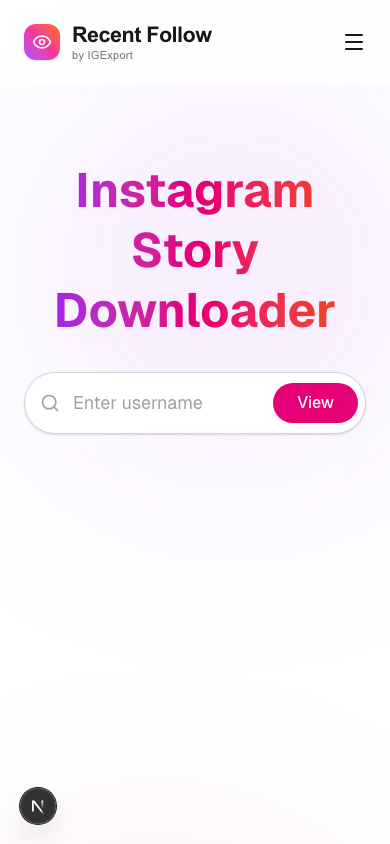
Open your browser and visit the IGExport IG Story Download Tool.
Step 2: Enter the Instagram Username
Type the username of the Instagram account you want to view (no @ needed), then hit the search button. For example, enter eldar_cat_tarot to view that account's Stories.
Step 3: Browse and Download Stories
The tool will automatically load all of that account's current Stories. You can see the profile info and all Story thumbnails displayed in a grid.
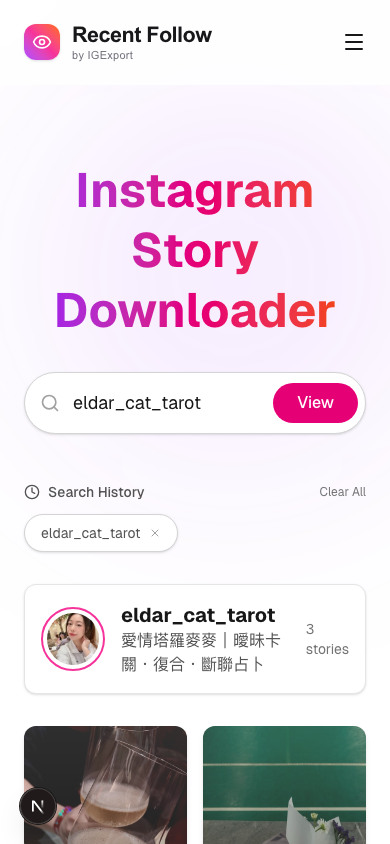
- Tap a photo or video to preview it in the full-screen story viewer
- Click the Download button to save the Story to your device
- Swipe left or right to browse between Stories
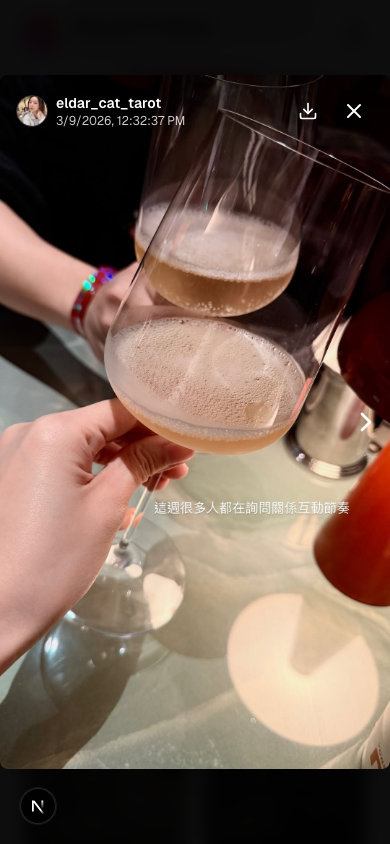
That's it! No app installation required — works directly in your browser.
Frequently Asked Questions
Can I download Stories from private accounts?
If the account is private, you can use the Recent Follow App to view and download their Stories. Simply log in with your own Instagram account, and you'll be able to browse and save Stories from any private account you already follow.

What quality are the downloaded Stories?
IGExport fetches the highest quality version available from Instagram, so the photos and videos you download are in their original resolution.
Will the other person know I viewed or downloaded their Story?
No. IGExport's viewing and downloading feature is completely anonymous — your name will not appear in the other person's "Story viewers" list.
What devices are supported?
IGExport is a web-based tool that works on any device with a browser, including computers, smartphones, and tablets.
Summary
Saving Instagram Stories has never been easier! With IGExport, you can effortlessly and anonymously view and download Stories from any public account — no more worrying about great content disappearing after 24 hours.
Try it now: IGExport IG Story Download Tool