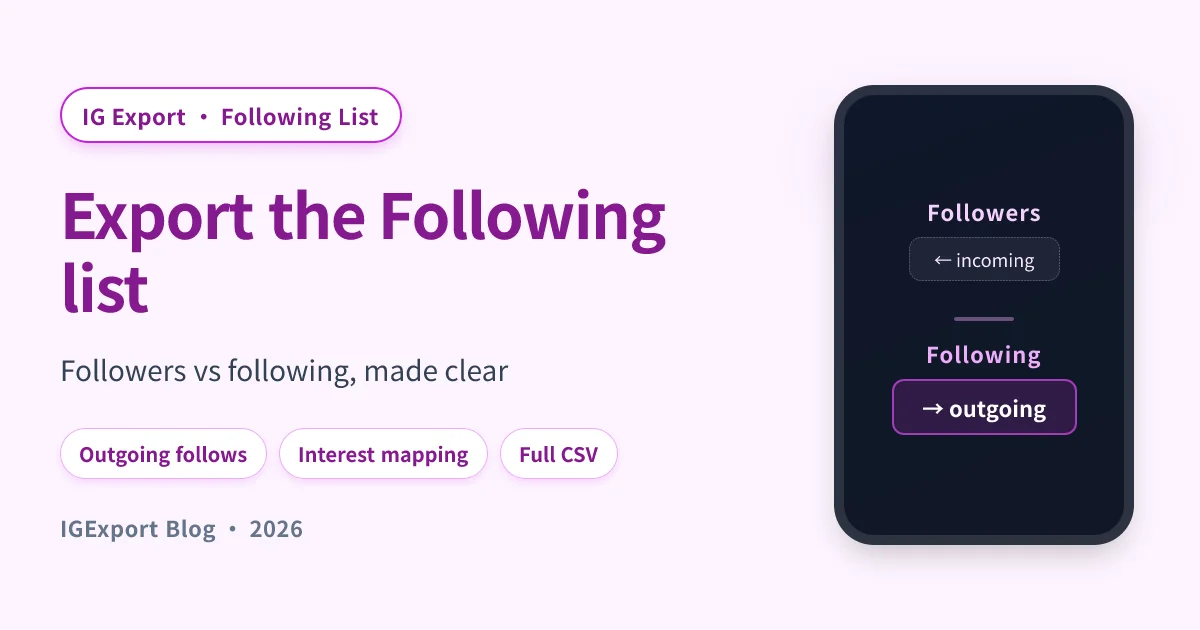
Most "export Instagram followers" guides quietly assume you want the Followers list — the people following the target profile. But sometimes you want the other direction: the Following list — the accounts the target profile itself follows.
Different list, different signal, often different size. This guide covers the export workflow specifically for the Following side.
Followers vs Following: why the distinction matters
It's worth getting the terms straight, because Instagram's own UI doesn't help — both tabs look identical and a lot of people swap the words:
| What it is | Typical use case | |
|---|---|---|
| Followers | Accounts that follow the target | Audience research, influencer audit, competitor's reach |
| Following | Accounts the target follows | Interest mapping, social-graph analysis, "who does this person actually pay attention to?" |
Same target profile, two completely different lists. An influencer with 500K followers might be following only 800 accounts — those 800 reveal what they actually consume / engage with, which is often more interesting than the 500K who follow them.
When people search "export Instagram following list" they almost always mean the Following side specifically — they've already figured out the regular follower export, and now they want the outgoing direction.
What the Following list export contains
The same shape as a Followers export, just sourced from the other tab:
username, full_name, profile_url, is_verified, followers_count, following_count, detected_at
For each account in the target's Following list:
username— the handle they follow.full_name— that account's display name.is_verified— useful for filtering: a Following list dominated by verified accounts tells a different story than one full of small personal accounts.followers_count/following_count— the followed account's own metrics, useful for spotting who they engage with at what scale.detected_at— timestamp of the export.
You can sort by followers_count to find the largest accounts they follow (often a hint at category/industry interests) or scan by is_verified to surface the notable accounts they're tuned into.
How to export the Following list
The same tools that export Followers also export Following — you just pick the other tab. Three realistic paths:
Path 1: Free web tool (up to 100 entries)
IGExport's web tool lets you paste any public username and pick Following instead of Followers. You get the first 100 entries as CSV.
When this is enough: the target's Following list has fewer than 100 accounts (common — even influencers often follow only a few hundred), or you only need the top slice.
Path 2: Mobile app (full Following export)
For accounts following more than 100 others, the Recent Follow app exports the full Following list. The flow in the app:
- Open the app → type the target username → tap Sort Following by Date.
- Wait for both tabs (Followers + Following) to populate.
- Tap the Following tab specifically.
- Open the ⋮ menu → tap Export to CSV.
- The file lands in your Files (iOS) or Downloads (Android), ready to open in Numbers / Excel.
For the full screen-by-screen walkthrough, see the Recent Follow walkthrough — the steps are identical except for which tab you tap in step 3.
Path 3: Instagram's "Download Your Information" (your own following only)
Instagram's official data export gives you following.json as one of the files in the archive. Only works for your own account, comes out as JSON, takes hours to days. See the full method comparison for the trade-offs.
Common reasons to export a Following list
The use cases differ from Followers exports because the signal is different.
| Use case | What the Following list tells you |
|---|---|
| Interest mapping | The brands / creators a person actually consumes. Better signal than their bio. |
| Social-graph analysis | Diff two profiles' Following lists to find shared interests. |
| Account discovery | Find new accounts worth following yourself, by mining people whose taste you trust. |
| Influencer category check | An influencer who follows mostly other influencers is in a different bubble than one who follows real users. |
| Backup / archive | Your own Following list, saved in case you lose access. |
Because Following lists are usually much smaller than Followers lists, exports finish faster and the free tier is more often sufficient.
Why is someone's Following list out of order in the Instagram app?
If you've ever scrolled a target's Following tab hoping to see their newest follow at the top, you've discovered the same thing everyone discovers: Instagram personalises the order based on:
- Mutual followers between you and each listed account
- Your interaction history with each listed account
- Engagement signals on each listed account
The result: the order changes per-viewer, doesn't sort by date, and "scroll to top" doesn't reliably show recent follows. This is why people search for "see who someone recently followed on Instagram" as a separate problem — and why dedicated tools exist to reconstruct chronological order.
If your question is less "I want the full Following list" and more "I want to see who they just followed," that's a related but different need — see Recently Followed on Instagram: The Complete Guide (2026).
Frequently asked questions
Will the target account know I exported their Following list?
No. Exporting a public Following list is read-only from Instagram's perspective — same as scrolling the list yourself. No notification, no view log entry, nothing.
Can I export the Following list of a private account?
Only if you have authorized access (you own the account, or they've approved you as a follower). Stranger's private accounts can't be exported, because Instagram doesn't expose that data to anyone outside the approved followers.
Is the order of the Following CSV chronological?
Not directly. Most exports return the list in roughly the same order Instagram serves it (which is personalised, not date-based). Some tools attempt to reconstruct chronological order by monitoring over time — that's a separate feature ("recent follow tracking") rather than a single export.
Can I export both Followers AND Following in one go?
Most tools let you export them separately. The Recent Follow app saves both into per-account export history, so you can grab both CSVs in two taps each. Some web tools require two separate exports (one per direction).
What's the difference between "following list" and "follow list"?
None — they refer to the same data (accounts the target follows). "Follow list" is more colloquial; "following list" is what Instagram itself uses in the UI.
How often does someone's Following list change?
For active accounts, several entries per week. For dormant accounts, sometimes years go by with no changes. If you care about tracking changes (who they just started following, who they unfollowed), one-off exports aren't enough — you need a tool that re-fetches and diffs over time.
Related reading
- Recent Follow — Anonymous, Real-time Instagram Follow Tracker — the product Landing page.
- How to Export Instagram Followers: The Complete Guide (2026) — broader pillar covering both directions.
- How to Export Instagram Followers to CSV? Step-by-Step with Recent Follow (2026) — full mobile walkthrough.
- Download Instagram Followers List: Free Methods + Tool Comparison (2026) — for the followers direction specifically.
- Recently Followed on Instagram: The Complete Guide (2026) — chronological "recent follows" rather than full list export.