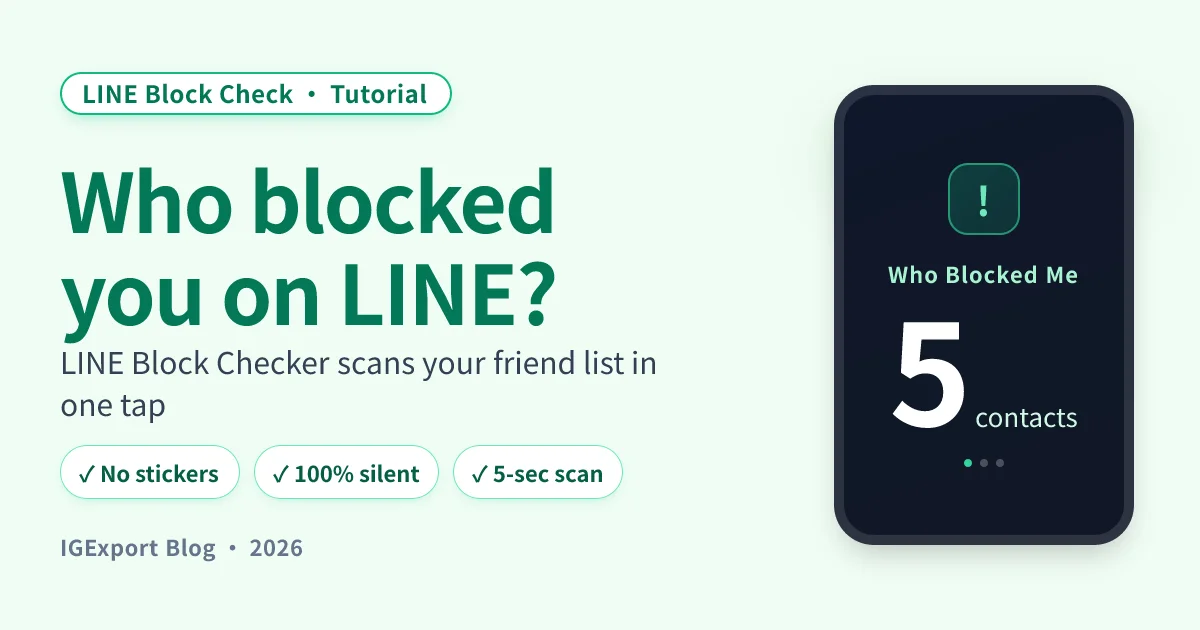
"Send a paid sticker — if it says 'they already own this,' you've been blocked." This trick has circulated for over a decade. It works — but it has limits. Here's how to read it correctly.
Why the sticker test reveals a block
LINE's "Send Sticker as Gift" flow checks whether the recipient already owns the sticker pack — to save you from paying twice. That check uses an internal lookup, and the lookup goes through LINE's block filter:
- Not blocked: the system queries the recipient's sticker library normally and returns "owned" or "not owned."
- Blocked: the lookup is filtered out, and the system returns "already owns this" as a silent rejection — LINE uses this message to refuse the gift without revealing "you've been blocked" (a privacy decision).
So if you pick an obscure paid sticker and the system says "they already own this," it's almost certainly a block — because the odds of "actually owning" + "obscure" co-occurring are tiny.
Step-by-step: how to test for LINE block with a sticker
Step 1: Open the LINE Sticker Shop
From the LINE main screen tap the Sticker Shop (or via Settings → Stickers).
Step 2: Pick a paid sticker the contact probably doesn't own
How to pick well:
- ✅ Choose obscure paid stickers: low odds the contact owns it = low false-positive rate
- ✅ Avoid mega-popular characters (Cony, Brown, Sally): too many people own these
- ✅ Pick recently released, single-creator packs: low odds the contact had them already
- ❌ Don't use free stickers: free stickers don't go through the same check, so they can't reveal a block
Step 3: Tap "Send as Gift"
After selecting the pack, tap the Send as Gift button (usually bottom-right or in the menu).
Step 4: Pick the contact's name
In your friend list, tap the contact you want to test.
Step 5: Read the system message
Two outcomes:
| System message | Read as |
|---|---|
| "This person already owns this sticker" | Likely blocked (assuming you picked an obscure pack) |
| You proceed to payment selection | Not blocked |
If you see "already owns" and want to double-check, try a different obscure pack. Two consecutive obscure packs both showing "already owns" is a very strong block signal.
3 false-positive scenarios
1. They actually own that sticker pack
The most direct false positive — you happened to pick a pack they own, so the system honestly says "already owns" — identical to the block message. Mitigation: pick obscure packs, and try 2–3 different packs to triangulate.
2. They subscribe to Stickers Premium
LINE has a subscription that gives users unlimited access to a huge sticker library. If your contact has Premium, they "own" thousands of packs — most obscure picks will trigger the "already owns" message even without a block. This is common with younger users and you can't tell from the outside.
3. They never added you as a friend
If the contact never added you on LINE in the first place (not a block, just never connected), the gift flow may show "Cannot send to this user" or, in some app versions, the same "already owns" message. The exact wording depends on the LINE version.
Why this only works for 1–2 contacts
The sticker test is accurate, but it has practical limits:
- It costs money: each pack is roughly $1–$3 USD, and you want at least two for double-confirmation.
- One contact at a time: 50 friends means 50 tests (and 50× the spend).
- Picking obscure packs takes time: half the work is finding the right pack.
- Premium users break it: if they have Stickers Premium, this method is dead on arrival.
For "who in my whole friend list has blocked me," the sticker test is impractical — that's where an app comes in.
One-tap full-list scan: LINE Block Checker
LINE Block Checker signs into your LINE account and scans your full friend list at once — direct list of everyone who blocked you. 300 contacts in 5 seconds. No stickers to buy, no false positives from sticker ownership, and the contacts feel nothing (the scan sends no messages, stickers, calls, or group invites).

Full step-by-step: LINE Block Checker tutorial
Frequently Asked Questions
How do I tell I'm blocked from a sticker test?
Tap Send as Gift, pick the contact, and watch the system message. If it says "This person already owns this sticker" and you picked an obscure paid pack, you're likely blocked — LINE uses that message to silently refuse a blocked gift. If you proceed to payment, you're not blocked.
Why does the system say "already owns this"? Am I really blocked?
LINE checks ownership before letting you gift, and when blocked, the lookup is filtered into a silent rejection — the same "already owns" message — to avoid revealing "you've been blocked." But if the contact actually owns that pack, you get the same message, so pick obscure packs and try 2–3 to triangulate.
Does the contact get notified when I sticker-test them?
No. Whether the gift fails (block) or shows "already owns," nothing reaches the contact — no notification, no sticker, no message. They have no way of knowing you tried to gift them.
What if they have Stickers Premium?
The method breaks. Premium subscribers "own" thousands of packs, so most obscure picks return "already owns" — you can't distinguish that from a block. Use a different method or a one-tap app scan.
Can I use a free sticker to test?
No. Free stickers don't go through the ownership check, so the gift flow can't reveal a block. You need a paid sticker.
Is the sticker test more accurate than the call test?
Usually yes. Calls have many false positives ("phone on silent," "no internet," "already on a call"). Sticker tests mostly fail on "actually owns the pack" + "Stickers Premium" — both controllable by trying a different obscure pack.
Can I test 50 contacts with this method?
Technically yes — but expensive: each pack is $1–$3 USD, so 50 contacts is at least $50. For 1–2 specific contacts, the sticker test is fine. Above 5 contacts, switch to a one-tap app scan.
Complete guide
For the bigger picture — all detection methods, Q&A, unblock steps — start with the pillar:
Related reading
- Download LINE Block Checker — one-tap, anonymous detection of who blocked you
- LINE Block Checker step-by-step tutorial — every screen of the app explained
- Does the other person know when you block them on LINE?
- What it looks like when you call someone who blocked you on LINE
- LINE block vs delete friend: what's the difference