A surprising number of people get this wrong: "If I delete them as a friend, I won't get their messages anymore, right?" Wrong. This post settles it with one table, the reverse behavior, and the contact's-eye view.
Block vs Delete Friend: one-table summary
| Behavior | Block | Delete Friend |
|---|---|---|
| Is the contact still in your friend list? | ✅ Yes (in "Blocked List") | ❌ Removed from list |
| Will their messages reach you? | ❌ Filtered out (you never see them) | ✅ They still reach you! |
| Will your messages reach them? | ❌ Stay forever as "unread" | ✅ Delivered normally |
| Can they see your profile / VOOM updates? | ❌ No new updates visible | ✅ Yes |
| Can you see their updates? | ❌ No | ✅ Yes (if their profile is public or you share groups) |
| Are they notified? | ❌ No | ❌ No |
| Can you reverse it? | ✅ Unblock from "Blocked List" | ✅ Re-add as friend (requires their accept or them adding you) |
The key insight: most people assume "delete = full cutoff." Delete friend only removes the contact from your list — they can still message you. If your goal is "I don't want to hear from this person anymore," block is the answer, not delete.
Reverse behavior: what happens when they message you?
This is where most of the confusion lives:
You block them
- Their messages: never reach your chat list (no notification, no unread badge)
- Their side: their messages stay forever as "unread"
- Your side: your chat list goes silent, as if they never wrote
You delete them as a friend
- Their messages: still reach your chat list! Notifications, unread counts, the works
- Their side: messages deliver normally; you may even read them
- Your side: you still receive their messages — they're just not in your friend list, so to reply you'd have to re-add them from the chat
In short, delete friend is mostly about cleaning up your contact list, not cutting off messaging. If your goal is "I don't want to hear from this person again," delete alone does nothing — you need either block + delete together, or just block.
Their view: can they tell which one you did?
Neither sends a notification, but the reverse behavior leaks signals:
| What they see when they try to reach you | What you likely did |
|---|---|
| Forever "unread," never any reply | Block (highly likely) |
| "Read" but no reply / read but late reply | You're just not replying (no block, no delete) |
| Can't find your profile / your name has vanished | Delete friend (you're gone from their list too) |
A careful person can distinguish "forever unread" from "read but ignored" — the former screams block. See Does the other person know when you block them on LINE.
How to choose: 4 scenarios
Scenario 1: "I don't want to hear from them anymore" → Block
Block directly filters out their messages — you never see them. Delete can't do this.
Scenario 2: "I want them off my list, but not a hard cutoff" → Delete Friend
You just don't want their face on your list, but you don't strongly mind if they occasionally still reach you — delete is fine.
Scenario 3: "I want them to find me as little as possible" → Block + Delete
The most thorough cutoff: block stops messages and VOOM both ways, delete removes them from your list. You're still in their list, but anything they try gets stuck on "unread" forever.
Scenario 4: "I just want a temporary breather" → Hide (not block, not delete)
"Hide" is the third option — the contact stays in your friend list, you still receive their messages, but the chat is hidden from your list view. Easiest to reverse. LINE built it for "I want a break, not a cutoff."
Where Is Your Blocked List on LINE? How to View and Manage
LINE's Blocked List is where every contact you've blocked ends up. One key operational difference between block and delete: block keeps a "list" you can come back to and manage. Delete doesn't.
iOS / Android, 4 steps:
1. Tap the gear icon in the top-right of the home screen ("Settings")
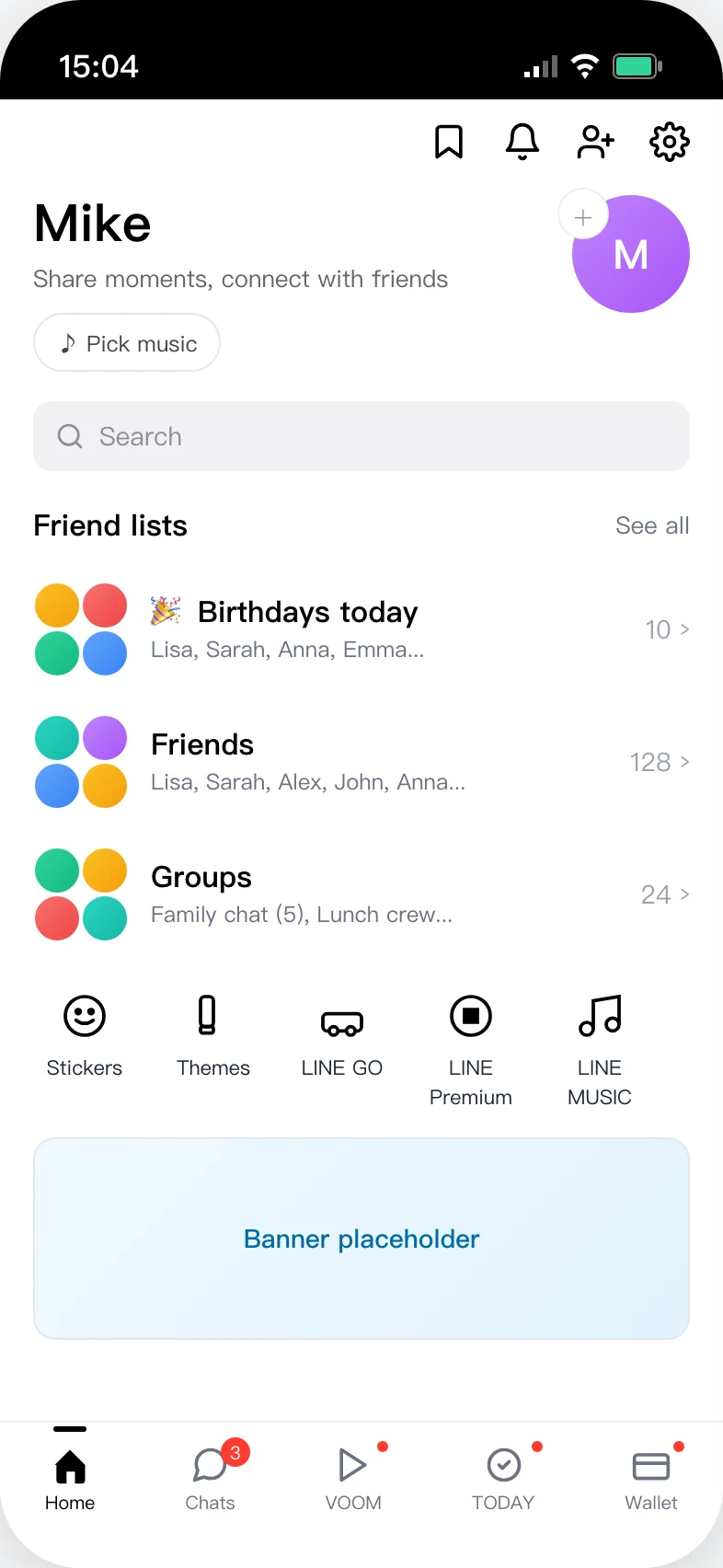
2. Scroll down in Settings until you see "Friends"
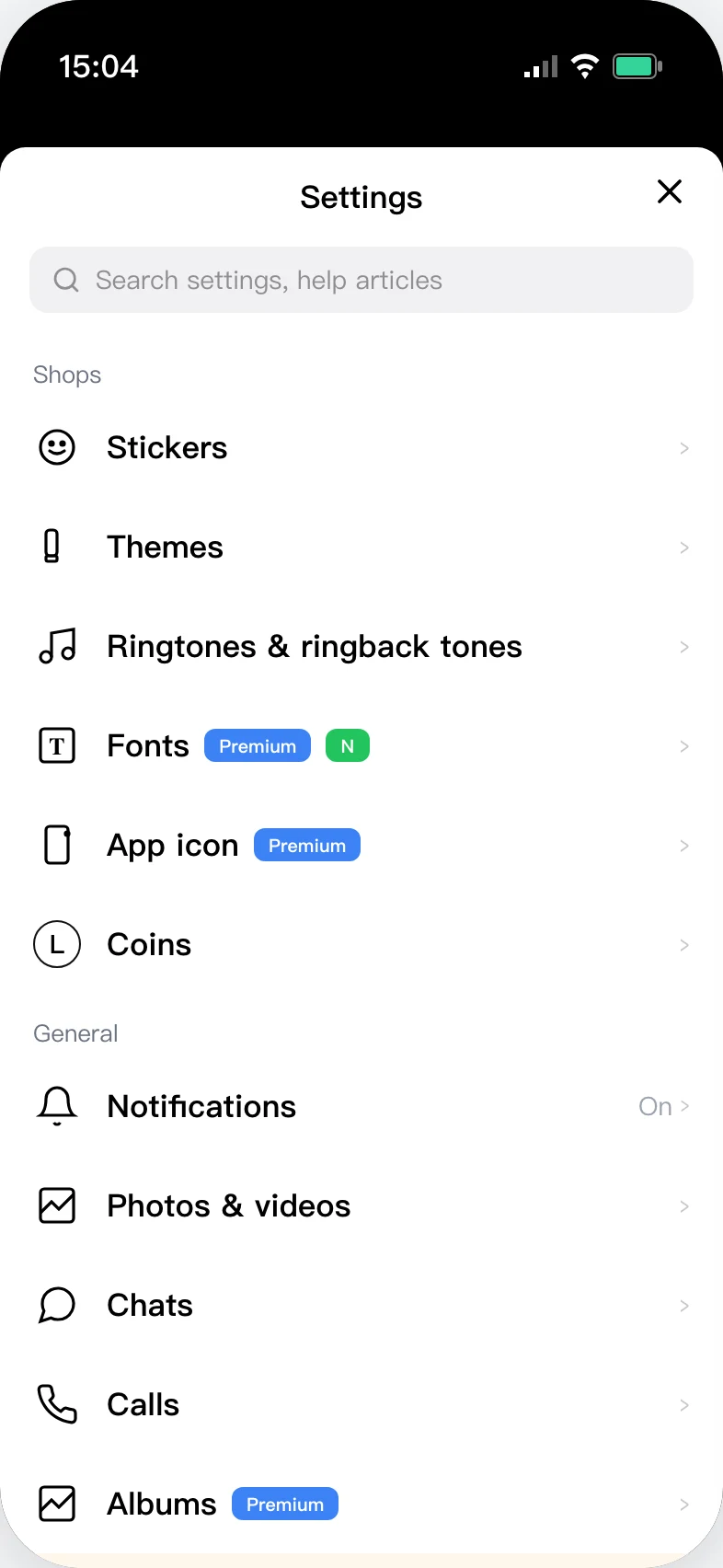
3. Tap "Friends" — the "Blocked accounts" row is at the bottom
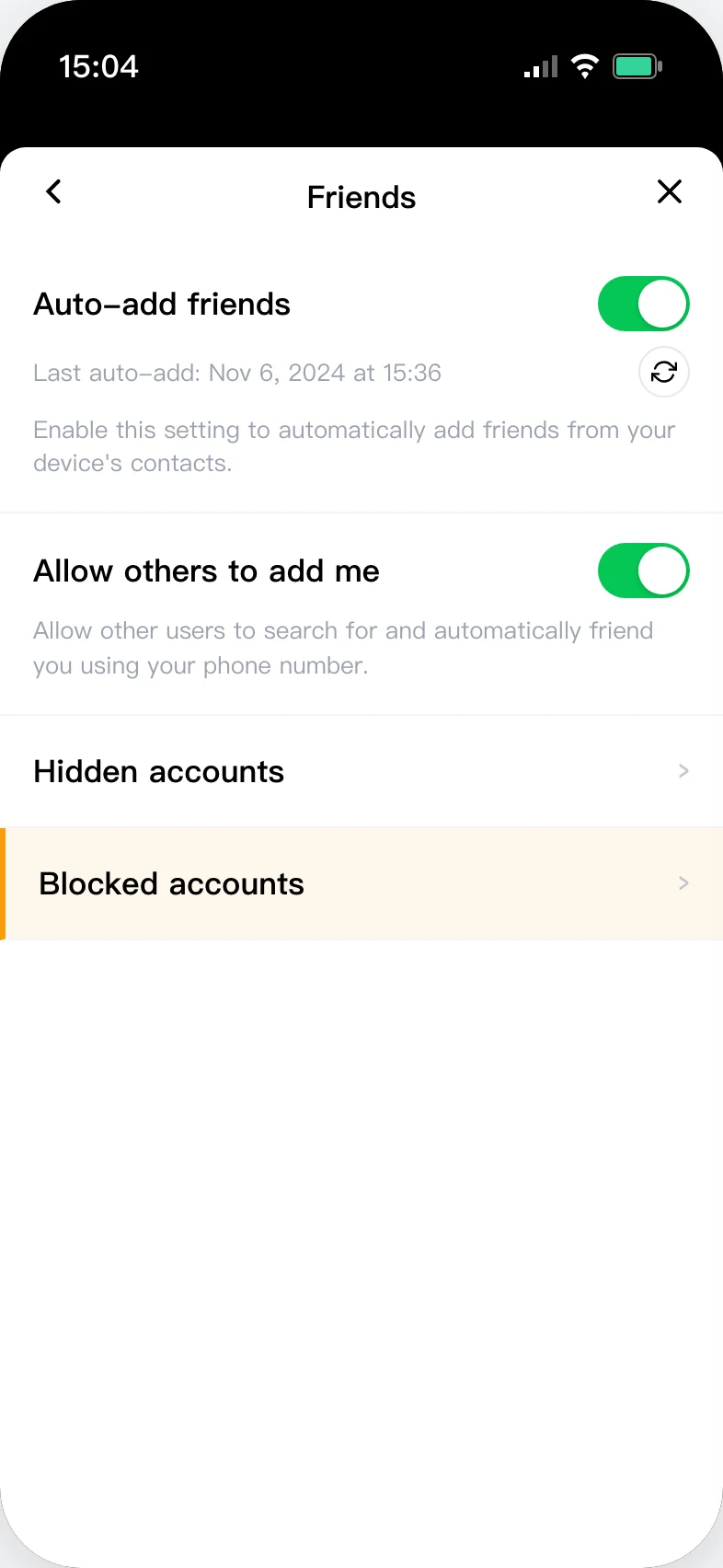
4. The Blocked List lets you "Unblock" or permanently delete each contact
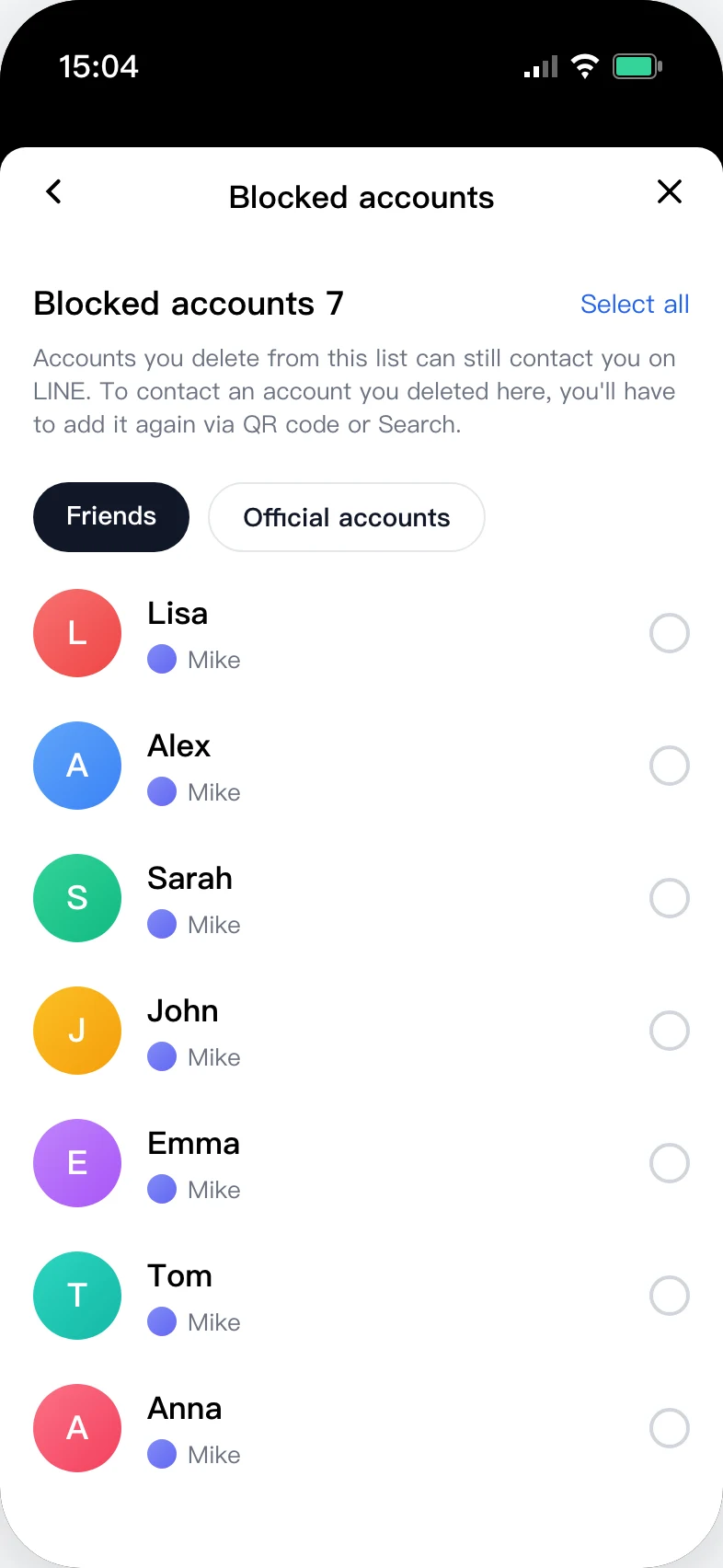
Each row has two options:
- Unblock: the contact returns to your friend list; messaging is restored both ways
- Delete (from the Blocked List): ⚠️ this is irreversible. The contact is permanently removed from your account; to re-add them you'd need an ID search or a shared group
Many people confuse "delete from Blocked List" with "delete friend." The first is a permanent cutoff. The second just removes them from your list — they can still message you. Full unblock walkthrough: How to unblock on LINE.
Will Your Chat History Survive a Block or Delete?
Common worry: "If I block them, will our old chat history get deleted?" Short answer: no, nothing is deleted automatically.
| Action | Old chat history | New messages from them |
|---|---|---|
| You block them | ✅ Preserved (you can scroll back) | ❌ Never reach your chat list; no notification |
| You delete them as a friend | ✅ Preserved | ✅ Still reach your chat list (with notifications) |
| You block + delete them | ✅ Preserved | ❌ Never reach your chat list |
| They block you | ✅ Preserved | ⚠️ Your sent messages stay forever "unread" |
Two important details:
- Messages sent during the block can't be recovered: even if you unblock later, anything they sent while blocked never lands in your chat list.
- The chat thread itself doesn't auto-delete: it stays in your chat list. To clear it you have to delete it manually — that's permanent, so back up first if needed.
If your goal is "make sure they can't see our chat history either" — that's impossible. LINE chat history lives on each user's own device. Block / delete doesn't touch their copy.
Reversing a Block or Delete: Can You Get Them Back?
Depends on what you did:
Case A: Block only (no delete from Blocked List)
Yes. Open the Blocked List, tap "Unblock," and the contact returns to your friend list with two-way messaging restored. Easiest case to walk back.
Case B: Delete friend only (no block)
Yes — three paths:
- Re-add from a shared group: the most common — tap their avatar in a shared group → Add Friend
- Search by LINE ID: if you still remember their ID
- Wait for them to add you: you're still in their friend list, so they can re-add you
Case C: Block first, then "Delete" from the Blocked List
⚠️ No way to undo this. LINE's own docs state "once removed from the Blocked List, the contact cannot be restored." They're wiped from your contact database; you can only re-add them like a stranger (ID search / QR / shared group).
One-line advice
Block first; don't delete from the Blocked List unless you're 100% sure. Block is fully reversible. "Delete from Blocked List" is a one-way door.
Want to know who blocked you? Use LINE Block Checker
Block and delete are your settings. To find out who blocked you (not who deleted you), LINE Block Checker signs in and scans your full friend list in 5 seconds — direct list of everyone who blocked you, no contact left in the dark.


Full step-by-step: LINE Block Checker tutorial
Frequently Asked Questions
What's the difference between block and delete friend on LINE?
The biggest difference is whether their messages still reach you. Block: filtered out, you never see them. Delete friend: still reach you, the contact is just no longer in your friend list. If your goal is "I don't want to hear from this person," pick block, not delete.
After I delete a friend on LINE, can they still message me?
Yes. Delete friend only removes the contact from your friend list — it does not filter messages. Their messages still reach your chat list with notifications. To filter messages you have to block.
After I block someone on LINE, are they still in my friend list?
Yes, just moved to the "Blocked List" section. Open LINE → Settings → Privacy → Blocked List and you'll see all blocked contacts. Block does not remove them from your overall friend list.
What if I block AND delete the same person?
Most thorough cutoff: they're removed from your friend list (delete) and their messages and VOOM are filtered both ways (block). You're still in their list on their side, but any attempt sticks on "unread" forever.
Will they tell whether I blocked or deleted them?
They can deduce it from reverse behavior. Block: their messages stay forever "unread." Delete: their messages still deliver normally (you still receive them). A careful observer figures this out — but LINE itself stays silent.
Which is easier to reverse?
Block is easier. Open the Blocked List and tap Unblock. Delete requires re-adding the contact (they need to accept the request, or add you back). If you're not sure, block first, don't delete — easier to walk back.
After I delete them, can they still see my profile photo?
Yes — delete friend only removes them on your side. Their view of your profile is unaffected. To stop them seeing your updates, you have to block.
Is blocking the same as deleting on LINE?
No. Block filters messages — the contact stays in your friend list, just sorted under "Blocked List." Delete removes the contact from your friend list, but doesn't filter messages: their messages still reach your chat list. The key difference: block stops messages; delete doesn't.
Where can I find the Blocked List on LINE?
Home → Settings (gear in the top-right) → Friends → Blocked accounts — same on iOS and Android. From here you can unblock or permanently delete (delete from this list is irreversible).
Will my chat history survive if I block someone on LINE?
Yes — blocking doesn't delete your old chat history; you can still scroll back through it. Two caveats: (1) any messages they send while blocked are lost forever, even after you unblock; (2) their copy of the history is also preserved on their device — each side keeps its own copy; block doesn't touch theirs.
If I block and delete someone on LINE, can I get them back?
Depends which "delete" you mean:
- Block only (no delete from Blocked List) → Yes, open Blocked List and tap "Unblock"
- Delete friend only (no block) → Yes, via shared group / ID search / wait for them to add you
- Block + "Delete" from Blocked List → ⚠️ Irreversible — you can only re-add them like a stranger
How do I recover a friend I deleted on LINE?
Three options: (1) tap their avatar in a shared group → Add Friend; (2) search by their LINE ID if you remember it; (3) wait for them to add you (you're still in their friend list). If you blocked and then deleted from the Blocked List, none of these work — LINE's docs state once removed from the Blocked List the contact cannot be restored.
Complete guide
For the bigger picture — all detection methods, Q&A, and unblock steps — start with the pillar:
Related reading
- Download LINE Block Checker — one-tap, anonymous detection of who blocked you
- LINE Block Checker step-by-step tutorial — every screen of the app explained
- Does the other person know when you block them on LINE?
- What it looks like when you call someone who blocked you on LINE
- How to unblock on LINE — complete tutorial
- Is there any recovery after being blocked on LINE?