You're about to screenshot a friend's Story — or a Reel, or a DM — and the same question stops you every time: will Instagram tell them? The internet's answer is somewhere between "no" and "yes, in 2018 they tried," and the truth depends on exactly what you're screenshotting.
Here's the short version, then the complete breakdown of every Instagram surface.
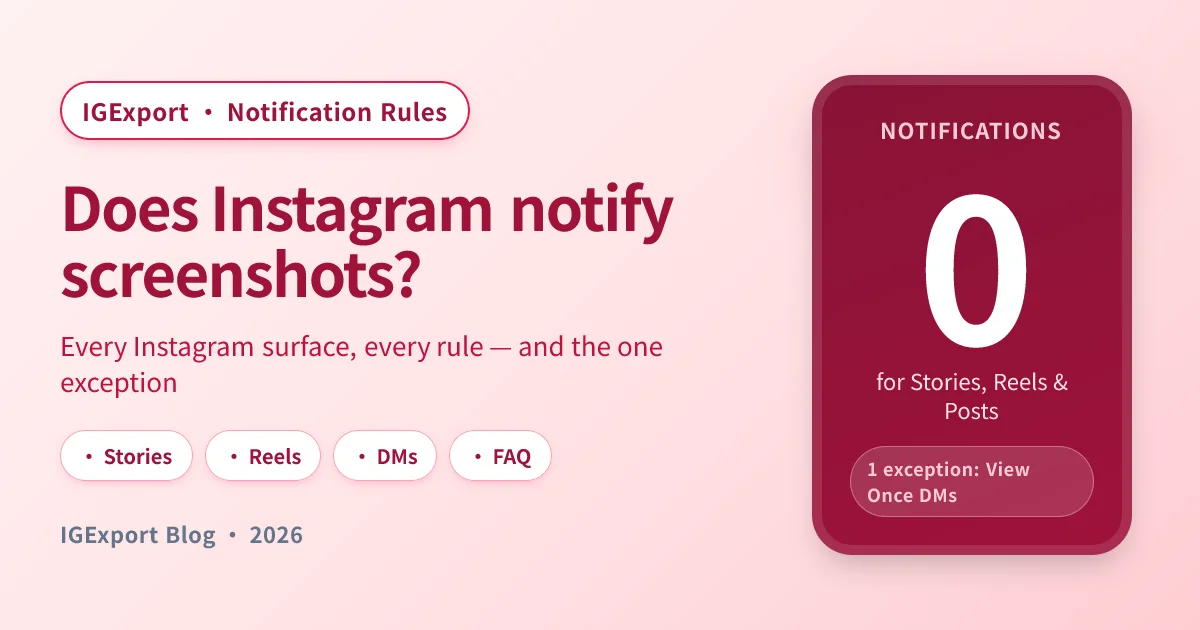
TL;DR (verified 14 August 2026). Instagram does not notify the poster when you screenshot or screen-record a Story, a Reel, a Post, a Highlight, a regular DM conversation, or a profile page. There is one exception: disappearing photos and videos sent in DMs as View Once or Allow Replay — those do trigger a screenshot notification. That's the entire list. If you've seen a post claiming Instagram added Story screenshot alerts in 2026, that's a rumour and it doesn't hold up.
If that's all you came for, you're set. The rest of this guide is the deep reference: the full notification matrix, why people remember a screenshot alert (Instagram briefly tested one in 2018 and removed it), the difference between a screenshot notification and the Seen by list, and how to view Stories without leaving a trace in the first place.
The full Instagram notification matrix
Every public-facing surface on Instagram, every common action, what Instagram tells the other person. Current as of 2026.
| Surface | Screenshot | Screen recording | Just viewing | Saving |
|---|---|---|---|---|
| Story (regular) | No notification | No notification | Appears in Seen by list | N/A |
| Highlight | No notification | No notification | Appears in viewer list for 48h after original post | N/A |
| Post (feed photo/video) | No notification | No notification | No view notification | No notification |
| Reel | No notification | No notification | View counter increments anonymously | No notification |
| Profile page | No notification | No notification | No view notification | N/A |
| Live video | No notification | No notification | Username shows in viewer list during broadcast | N/A |
| DM — regular text/photo/video | No notification | No notification | Seen receipt when you open it | No notification |
| DM — View Once photo/video | Notification sent | Notification sent | "Opened" status shown | Can't save |
| DM — Allow Replay photo/video | Notification sent | Notification sent | "Opened" + "Replayed" status | Can't save |
| Note (the 60-char status at the top of Inbox) | No notification | No notification | No view notification | N/A |
| Broadcast Channel message | No notification | No notification | No per-user view tracking | No notification |
The pattern is consistent: Instagram only alerts for screenshots when the content was explicitly marked as ephemeral and one-time — the View Once / Allow Replay case in DMs. Everywhere else, the screenshot itself is invisible to the other side.
Stories: no, Instagram won't tell them
The most-searched version of this question is about Stories, so let's nail it down.
Instagram does not notify the poster when you screenshot or screen-record a Story. Not a regular Story, not a Story in a Close Friends list, not a Highlight (which is just a saved Story). You can capture as many frames as you want, in any quality, and nothing appears on the poster's end.
What does happen, and where the confusion comes from, is the Seen by list. The moment you tap a Story in the Instagram app while logged in, your username gets added to that Story's viewer list. That's not a screenshot notification — it's a viewer registration that happens whether you screenshot or not. People conflate the two because they're both "the other person finds out something," but they have totally different triggers.
A screenshot on its own is invisible. The viewing is what leaves the trace.
This is why anonymous viewing tools matter for the privacy-conscious: the trace you actually want to avoid isn't the screenshot — it's getting added to Seen by in the first place. We unpack the full mechanism in the complete guide to viewing Instagram Stories anonymously.
Posts and Reels: no notification, no view tracking
Screenshotting or saving a Reel, a regular feed post, a carousel, or any image in someone's grid does not notify them. There's no viewer list for posts the way there is for Stories — Instagram shows view counts on Reels and videos, but those are aggregate numbers, not per-account.
Same for the Save bookmark: when you save a post or Reel to a collection, Instagram tells you the count of saves a creator gets but does not surface who did the saving. You can save freely.
The only place a creator can tell who's interacted with a post is if you Like or Comment, which are public actions by design.
DMs: the one exception
This is the case that breaks the "Instagram never notifies" rule, so be careful here.
Regular DM messages — no notification
Standard DM messages — text, regular photos, regular videos, voice notes, links, the whole inbox — do not trigger a screenshot notification. Screenshot a conversation, screenshot a meme someone sent you, screenshot a voice note's transcript: nothing happens on the other end.
The only thing the sender sees from regular messages is the "Seen" read receipt when you open the message, which is unrelated to screenshots and which you can disable (in Meta Accounts Center → Privacy → Messages → Read receipts).
View Once and Allow Replay disappearing media — notification sent
When someone sends you a photo or video in a DM and chooses View Once or Allow Replay from the camera options (these are the disappearing-media modes, different from a regular photo), Instagram treats that media as explicitly ephemeral. If you screenshot or screen-record it, the sender gets notified — they see a "screenshot" badge in the chat thread next to that message.
This is the single, narrow case where Instagram actively tells the other side. The notification is in-thread (not a push), and it includes your username.
Practical rule: if a DM photo or video has the "open" prompt and disappears after you view it, treat it as the one Instagram surface where screenshots are watched.
Vanish mode
Vanish mode is the "messages disappear after the chat closes" DM mode. Screenshots in Vanish mode do trigger a notification to the other person — same logic as View Once. If the surface is explicitly ephemeral, Instagram watches for screenshots.
Profiles, Lives, Notes: all clear
- Profile pages. Screenshotting someone's profile, their bio, their grid layout, their highlight covers — none of this notifies them. Same goes for screen-recording while scrolling their profile.
- Live video. No screenshot or recording notifications during a Live. The broadcaster does see your username appear in the live viewer list while you're actively watching, which is the usual "viewing leaves a trace" pattern, not a screenshot alert.
- Notes (the short status messages at the top of your Inbox). No notification. The poster doesn't know who screenshotted a Note, who screenshotted the reply thread, or who viewed it.
- Broadcast Channels. No screenshot or per-user view tracking. The creator only sees aggregate engagement.
Did Instagram add screenshot notifications in 2026?
No. If you landed here after seeing a post claiming Instagram just rolled this out, that claim is going around and it is not true. Checked again on 14 August 2026: Instagram still does not notify anyone when you screenshot a Story.
What the claim actually is. Starting around May 2026, screenshots of two viral Instagram posts began circulating — one from May, one from June — both saying Instagram "has rolled out a new feature that will notify users when someone screenshots or screen records their Story posts." A Spanish marketing site picked it up on 1 June under the headline that Instagram would introduce "screenshot prevention" in Stories.
Why it doesn't hold up. Four checks, all of which you can repeat:
- Instagram's own Help Center doesn't document it. Search the Help Center for screenshot and you get 44 results. Not one of them says a Story, Post, Reel or Highlight screenshot is reported to anyone. The only article that mentions screenshot detection at all is See the status of a disappearing photo or video you've sent, which covers disappearing DM media — "you can see if they were seen or if we detect someone took a screenshot." That's the same single exception that has existed for years, and it's in the matrix above.
- The viral posts aren't from Instagram. They're from ordinary creator accounts, not @instagram and not Adam Mosseri. A product change of this size gets announced on the official channels; this one wasn't.
- No technology press covered it. A Meta privacy change that affects every Story on the platform would be reported everywhere within hours. Search for it and you'll find aggregator blogs repeating each other, and nothing from the outlets that actually cover Meta announcements.
- The Spanish article says so itself. Its own wording is "some users have reported" — it's documenting a rumour, not a launch.
Why this keeps happening. This is at least the second cycle of the same rumour, and the pattern is stable: someone posts a confident claim, it gets screenshotted, and the screenshot travels further than any correction. The 2018 test described in the next section is the seed — a real feature really did exist for a few months, which makes every later revival feel plausible.
How to check it yourself, any time. Don't trust an article's publication date, including this one. Open Instagram's Help Center, search screenshot, and see whether any article describes Story screenshot notifications. If Instagram ever ships it, the Help Center is where it will be documented first, and the answer above changes the same day.
Why people remember a screenshot notification
Here's the historical footnote that keeps this question alive.
In February 2018, Instagram tested a screenshot notification for Stories. For a few weeks, if you screenshotted a friend's Story, a small "camera" icon appeared next to your name in the Seen by list — a quiet flag visible to the poster.
The test was scrapped in June 2018. Instagram pulled the feature without much explanation; reporting at the time noted that it added friction and confusion without a clear product win. It has not returned, and Instagram has not relaunched it on Stories, Reels, Posts, or Highlights since.
So if a friend, an article, or a TikTok told you "Instagram tells people when you screenshot their Story" — that information is from 2018 and has been stale for years. The current rule, since mid-2018 and continuing into 2026, is no notification for any Story screenshot.
The only screenshot notification Instagram has ever shipped permanently is the View Once / Allow Replay / Vanish-mode case in DMs, which has been there since those disappearing-media modes launched.
"Screenshot notification" vs. "Seen by" — they're different problems
A huge amount of confusion in this topic comes from blending two different signals. Let's separate them once.
Screenshot notification. A message Instagram pushes to the original poster when you press the screenshot or screen-record buttons. Triggered by: View Once / Allow Replay / Vanish-mode DM media. Not triggered by: anything else on the platform.
Viewer registration. Your username appearing in a list of people who viewed something. Triggered by: opening a Story, opening a Highlight (for 48h after post), being present in a Live, opening a DM (as a "Seen" receipt). Has nothing to do with screenshots — it fires whether you screenshot or not.
So the question "will they know if I screenshot their Story" actually splits into two questions:
- Will they know I screenshotted? No.
- Will they know I watched? Yes — your username goes into Seen by when you open the Story in the official app, screenshot or no screenshot.
If your goal is full invisibility (no screenshot trace and no viewer trace), you need to address the viewing step, not the screenshot step. That's a different mechanism — covered next.
How to view without leaving any trace
Instagram does not let you opt out of the Seen by list inside the app. The only way to watch a public Story without your name showing up is to fetch the Story media from outside an authenticated Instagram session — which a server-side anonymous Story viewer does for you.
Because the request goes from the tool's server (not from your logged-in Instagram app), Instagram has no authenticated user to attribute the view to. You see the Story, you can save it, and your name never appears in Seen by. No screenshot needed — the file lands in your downloads at original resolution.
This is exactly what IGExport's free IG Story Viewer & Downloader does. Enter a public username, get the current Stories and Highlights, watch or download at full quality. No Instagram login required, no app to install, no viewer registration tied to you.
For the broader picture — every realistic anonymous-viewing method, including throwaway accounts and what doesn't work — start with the complete anonymous-viewing guide. For the step-by-step walkthrough of the tool itself, see how to download IG Stories without screenshots.
Frequently asked questions
Does Instagram notify when you screenshot a Story?
No. Instagram does not send any notification when you screenshot or screen-record a Story. This applies to regular Stories, Close Friends Stories, and Highlights. The poster only sees that you viewed the Story (your name in Seen by), not that you captured it.
Does Instagram notify when you screenshot a DM?
It depends on the message type. For regular DM messages — text, normal photos, normal videos, voice notes — Instagram does not notify the sender when you screenshot. The exception is View Once and Allow Replay disappearing photos and videos, plus messages sent in Vanish mode: those do trigger a screenshot notification visible in the chat thread.
Does Instagram notify when you screenshot a Reel?
No. Screenshotting or screen-recording a Reel does not notify the creator. Reels are public feed content with aggregate view counts — there's no per-account viewer list and no screenshot alert.
Does Instagram notify when you screenshot a post?
No. Screenshotting any feed post — photo, video, or carousel — does not notify the poster. The same goes for saving the post to a collection: the creator sees a save count but never the usernames behind the saves.
Does Instagram notify when you screenshot a Highlight?
No. Highlights are saved Stories, and the screenshot-notification rule is the same as for live Stories: no notification. The poster does see your username in the Highlight's viewer list for 48 hours after the original Story was posted; after that window the viewer list closes and even the viewing trace disappears.
Does Instagram notify when you screenshot a profile?
No. Capturing someone's profile page, bio, grid, or Highlight covers does not notify them in any way. There's also no view counter on profiles, so there's no signal that you visited.
Does Instagram notify when you screenshot a story in 2026?
No. Verified again on 14 August 2026: no notification for Stories, Highlights, Posts, Reels, profiles, or regular DMs. The viral posts circulating since May 2026 that claim Instagram "rolled out" Story screenshot alerts did not come from Instagram — they're from ordinary creator accounts, no technology outlet reported the change, and Instagram's Help Center documents screenshot detection for exactly one thing: disappearing DM media. See the section above for the full check.
Is Instagram adding screenshot prevention to Stories?
There's no evidence of it. The "screenshot prevention" claim traces back to a single June 2026 article whose own wording is "some users have reported" — a rumour being documented, not a launch being announced. Nothing in Instagram's Help Center, official accounts, or release notes describes such a feature.
Did Instagram ever notify users about screenshots?
Yes, briefly. From February to June 2018, Instagram tested a screenshot notification for Stories — a small camera icon next to your name in the Seen by list. The test was rolled back after a few months and has not returned. Any current article, video, or comment claiming Instagram alerts on Story screenshots is repeating outdated information.
Will they know if I screen-record their Story?
No. Screen recording follows the same rule as screenshotting: no notification for Stories, Highlights, Reels, posts, profiles, or regular DMs. The only exception is the same as for screenshots — View Once / Allow Replay / Vanish-mode DM media, where recording is treated the same as a screenshot and notifies the sender.
Can Instagram tell who viewed my Story?
Yes — the Seen by list under your Story shows every account that opened it while logged into the Instagram app. This is different from a screenshot notification: it's a viewer registration that fires the moment someone taps the Story. People can avoid it by using an anonymous viewer that fetches the Story from outside an authenticated session. See how to view Instagram Stories anonymously for the full breakdown.
Does the person know if I save their Reel or Post?
No. Saving a Reel or post to a collection is private to you — the creator sees an aggregate "saves" number on their insights, but never the usernames. Same for screenshotting either of those.
Will they get notified if I screenshot their DM photo?
Only if they sent it as View Once or Allow Replay — the disappearing-media modes available from the DM camera. A regular photo or video shared in a DM does not trigger a screenshot notification. If you're unsure which mode a message was sent in, the View Once / Allow Replay versions show a "view" prompt and disappear after opening; regular media stays in the thread normally.
Is there a way to screenshot a View Once DM photo without notifying the sender?
Not safely. Instagram detects the screenshot and screen-recording actions at the system level for that specific message type, and there is no documented in-app workaround. Third-party apps that claim to bypass it are typically either ineffective or risky for your account. The honest answer is: if a sender chose View Once, treat the message as one-time.
Related reading
- Why Can't I See Someone's Instagram Story? — hidden list, blocked, Close Friends, or expired: diagnose which one
- Watch a Story anonymously right now → IGExport IG Story Viewer & Downloader (free, no login)
- The complete guide to anonymous viewing → How to View Instagram Stories Anonymously
- Step-by-step download walkthrough → How to Download Instagram Stories Without Screenshots
- The tool category, demystified → Anonymous Instagram Story Viewer: How It Actually Works
- The private-account case (honestly) → Private Instagram Story Viewer: What's Real and What Isn't
- For Highlights specifically → How to Download Instagram Highlights
- Compare leading tools side-by-side → Best Anonymous Instagram Story Viewer Apps (2026)