Looking for the overview? This is the deep walkthrough with every IGExport screen. If you want the higher-level explanation of why the official Instagram app fails at this, plus every realistic anonymous-viewing method and the public-vs-private boundary, start with How to View Instagram Stories Anonymously.
Spotted a Story you wanted to save, and then it vanished after 24 hours? Or wanted to download someone's Story without your name showing up in their Seen by list? Screenshots don't actually solve the problem — they lose video, drop resolution, and bury everything in your camera roll.
IGExport's free IG Story Downloader fetches the original media server-side, so you get full-quality photos and videos, no Instagram login, and no notification to the poster. The walkthrough below shows you every screen end-to-end.
What IGExport's IG Story Downloader does
IGExport's Story Downloader is a web tool — no app to install, no Instagram account required, no login of any kind. Enter a public Instagram username and it returns:
- All of that account's current Stories (photos and videos)
- Highlights — the user's saved, pinned stories that don't expire after 24 hours
- Original quality download — no compression, no watermark
- Anonymous viewing — because the fetch happens on our server (not from your Instagram app), there's no viewer registration in the poster's Seen by list
Works on any modern browser, desktop or mobile. The walkthrough below uses 3 screens.
How to Download Instagram Stories with IGExport
Enter a username, browse the Stories grid, tap to save. Here are the three steps end-to-end.
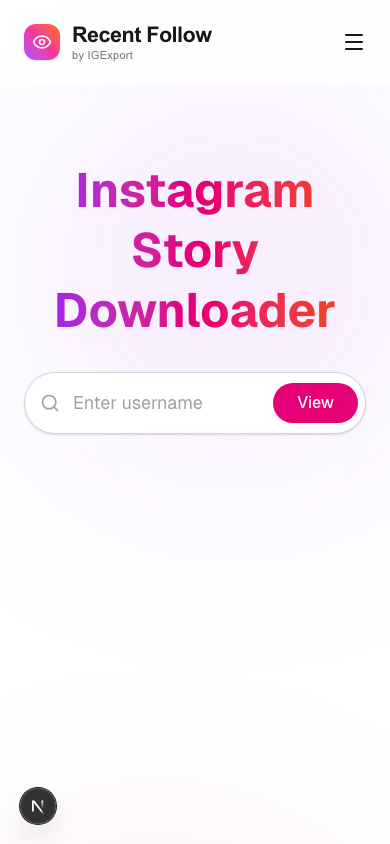
Step 1: Open the IGExport IG Story Downloader
Go to igexport.com/en/ig-story-download in any browser — phone, tablet, or desktop. You'll land on the search box; no signup, no login.
Step 2: Enter the Instagram username
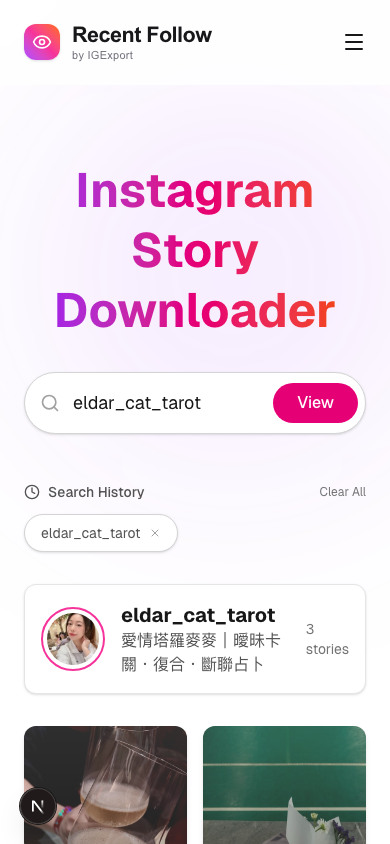
Type the public Instagram handle you want to view (no @ needed) and tap View. For example, enter eldar_cat_tarot to load that account's current Stories.
Within a couple of seconds, the tool fetches all of the account's current Stories and Highlights and shows them in a grid below the search box, along with the profile's basic info.
Step 3: Browse and download any Story
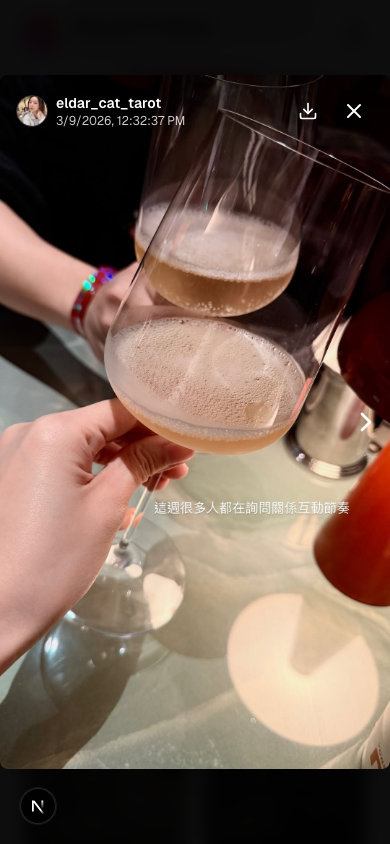
Tap any thumbnail to open it in the full-screen viewer. You can swipe left or right to move between Stories, or tap the Download button to save the Story to your device — photos as JPG, videos as MP4, in their original resolution.
That's it. No app installation, no Instagram login, no trace left behind. Your view doesn't appear in the poster's Seen by list because the request to Instagram came from our server, not from your authenticated app.
Frequently asked questions
Will the user know I viewed or downloaded their Story?
No. The fetch happens on our server, not through your Instagram app, so there's no authenticated session for Instagram to attribute a view to. Your name never lands in the poster's Seen by list, and Instagram doesn't notify anyone when their public Stories are accessed via a web tool.
Do I need an Instagram account?
No. The whole point is that no one logs in. You don't need an Instagram account, and you don't sign in with one if you have one. Just type the public username and the tool fetches the Stories.
Can I download Stories from private accounts?
No — the IGExport web tool only works on public accounts, because private Stories aren't reachable without an authenticated session that's already an approved follower. For private accounts you already follow, download Recent Follow by IGExport instead. Sign in once with your own Instagram, and you can browse and save Stories from any private account you already follow.


What quality are the downloaded Stories?
The original resolution Instagram delivered. We fetch the highest-quality variant available — typically 1080p video and full-resolution JPG — with no watermark and no recompression.
Can I download Highlights and Reels too?
Highlights — yes. They're the user's saved, pinned Stories, on the same public surface as 24-hour Stories. The downloader handles them identically. For a dedicated walkthrough, see How to Download Instagram Highlights.
Reels — those are a separate surface (public short videos on their own tab). The Story Downloader focuses on Stories and Highlights; for Reels you'd use a Reels-specific downloader.
Is it really free? Any usage limits?
Yes — completely free. No daily cap, no premium tier, no signup. We don't store your search history server-side either (any recent-searches list you see is in your own browser's localStorage).
What devices are supported?
Any device with a modern browser — iPhone, Android phone, iPad, Mac, Windows PC, even older laptops. No app to install.
Related reading
- IGExport IG Story Viewer & Downloader — open the tool now
- How to View Instagram Stories Anonymously: The Complete Guide — every anonymous-viewing method, public vs. private explained
- How to Download Instagram Highlights — the Highlights-specific walkthrough
- Anonymous Instagram Story Viewer: How It Actually Works — the mechanism behind anonymous viewing
- Best Anonymous Instagram Story Viewer Apps (2026) — side-by-side comparison