Before you can use the one-tap LINE sign-in feature, you need to install a "login certificate" on your device — an iOS configuration profile that works like a personal passkey. Once installed, it lets you enable one-tap LINE sign-in smoothly while keeping your connection secure and your data private. After this step, signing in becomes faster and safer.
Installation Steps
Step 1: Allow the Configuration Profile Download
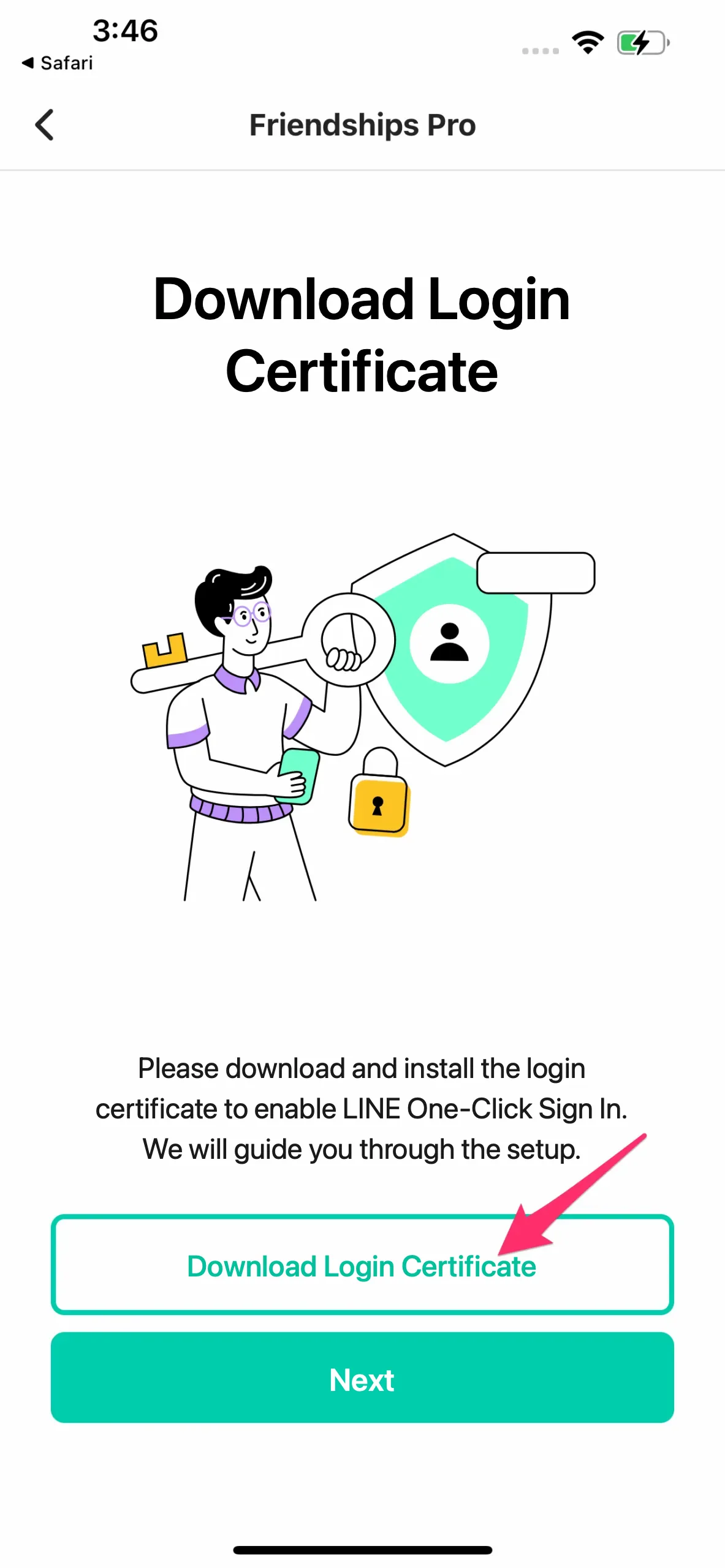
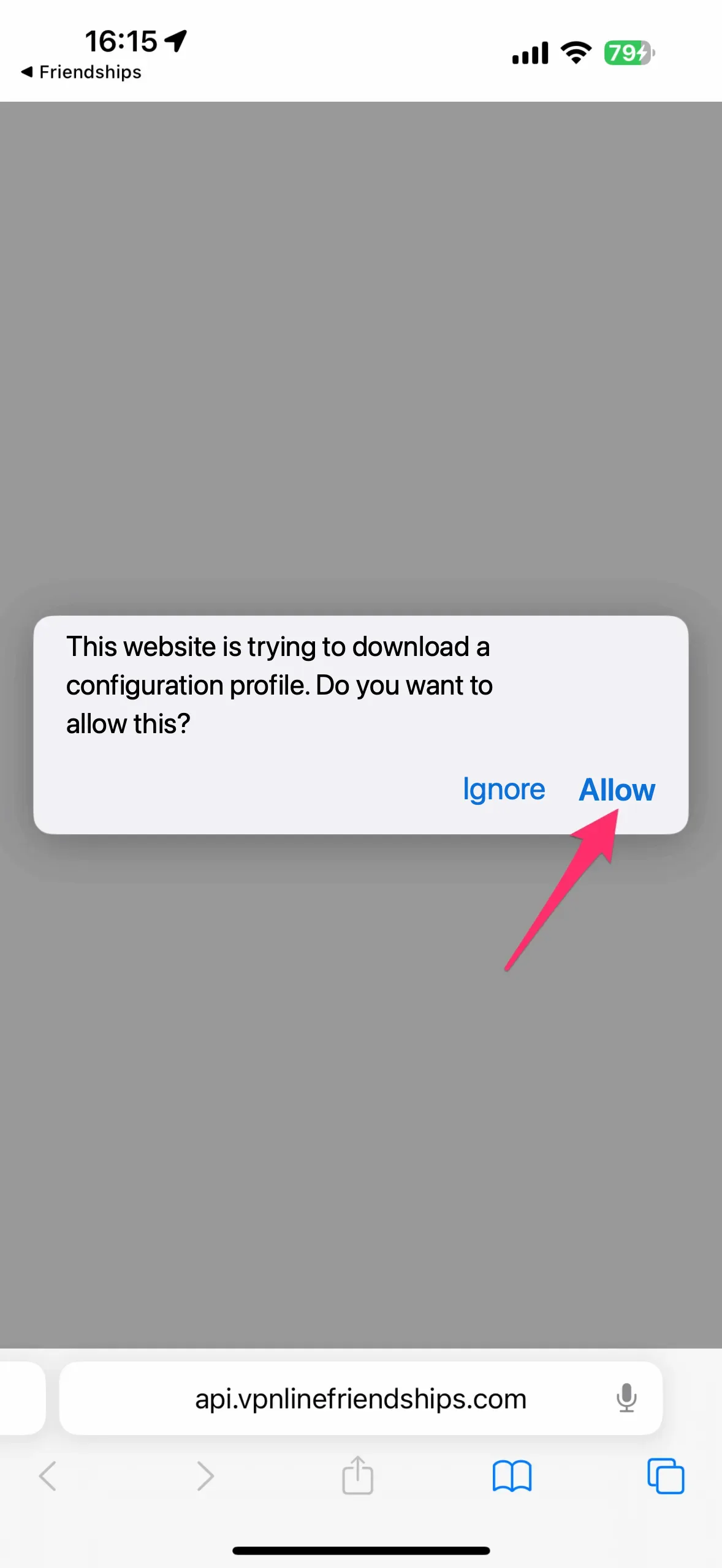
Step 2: Install the Configuration Profile
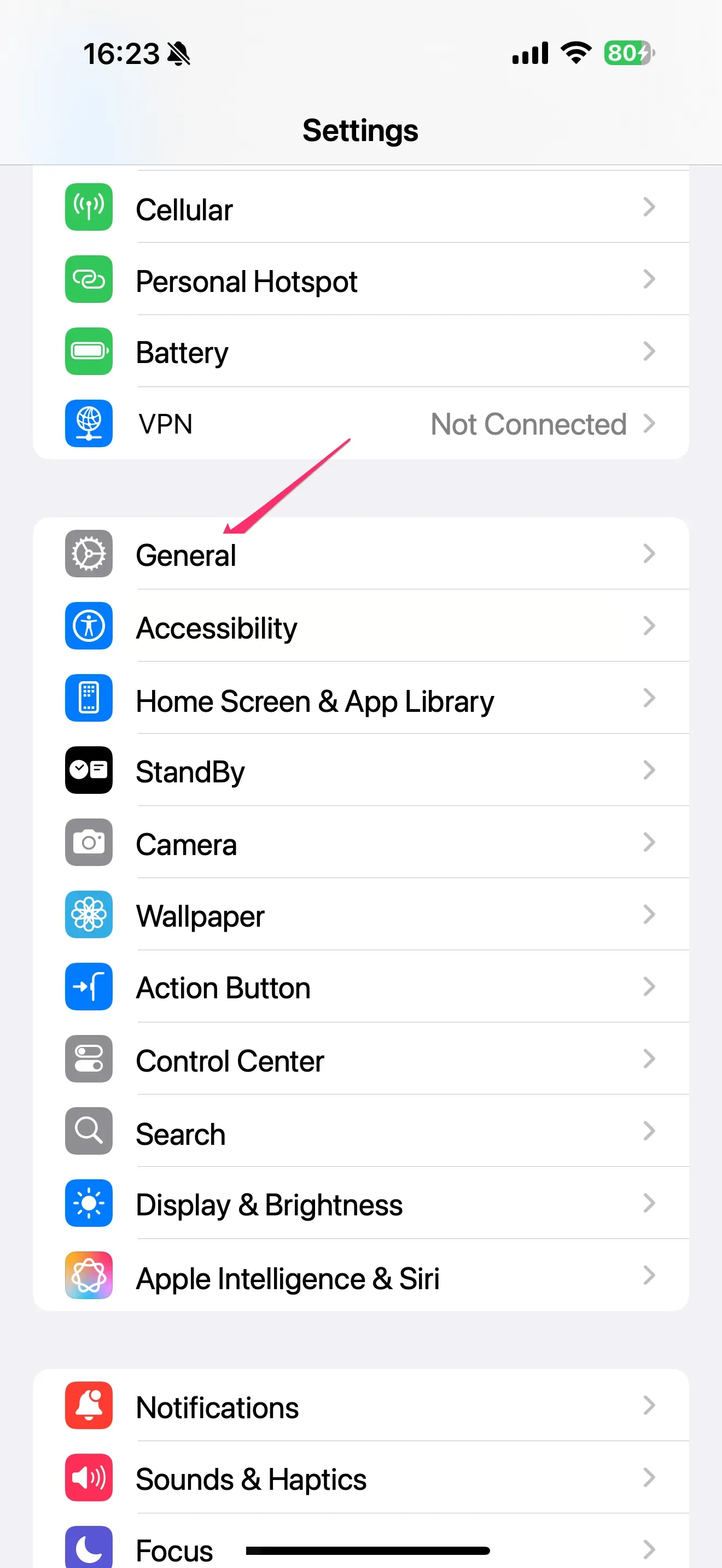
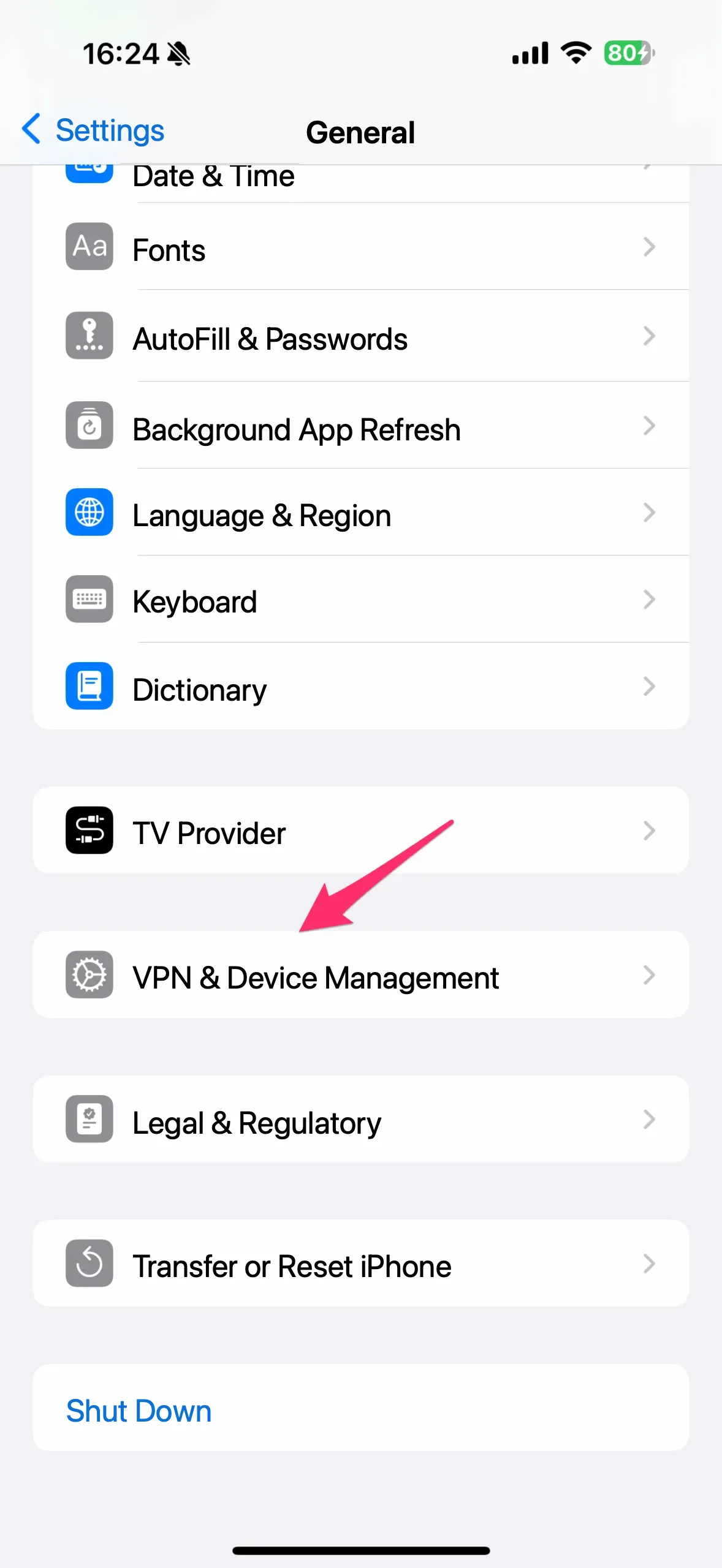
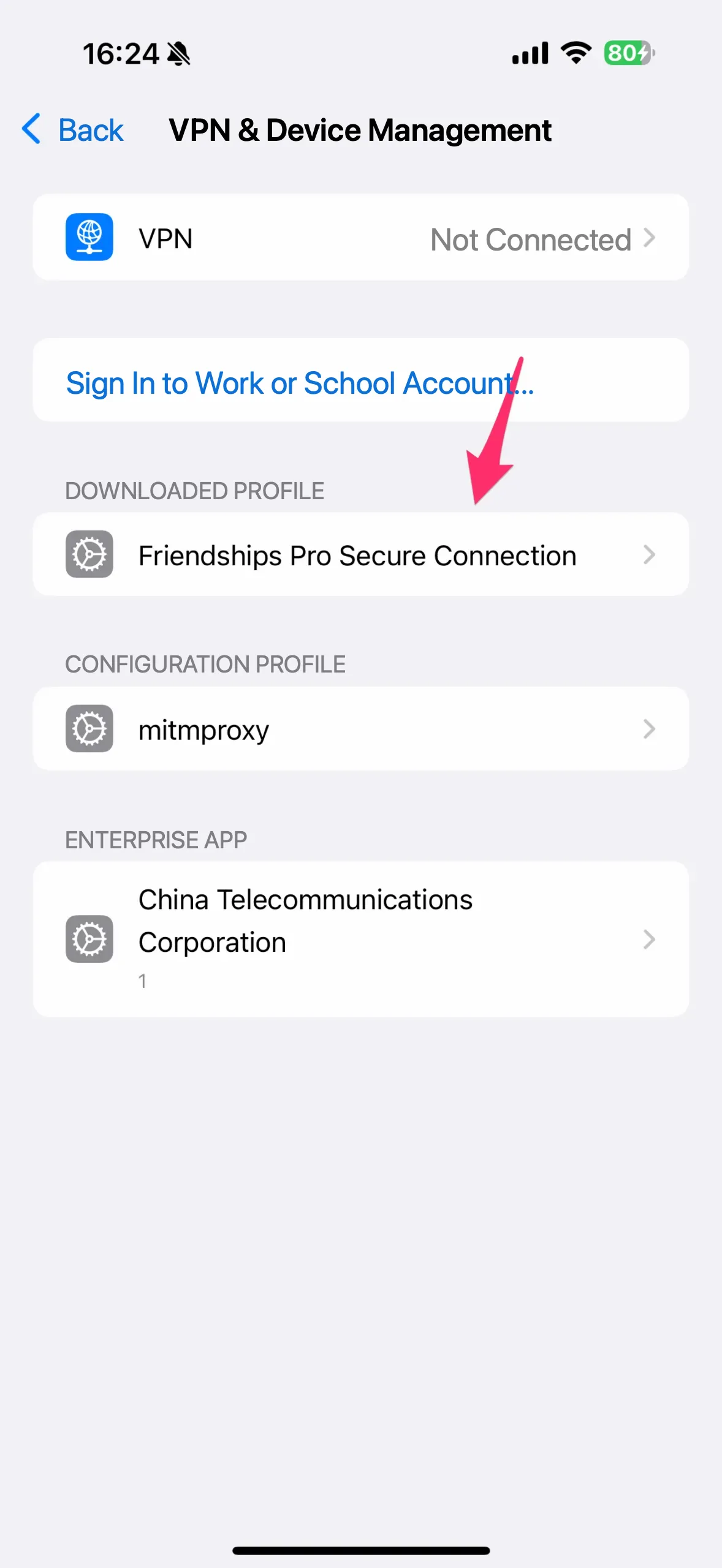
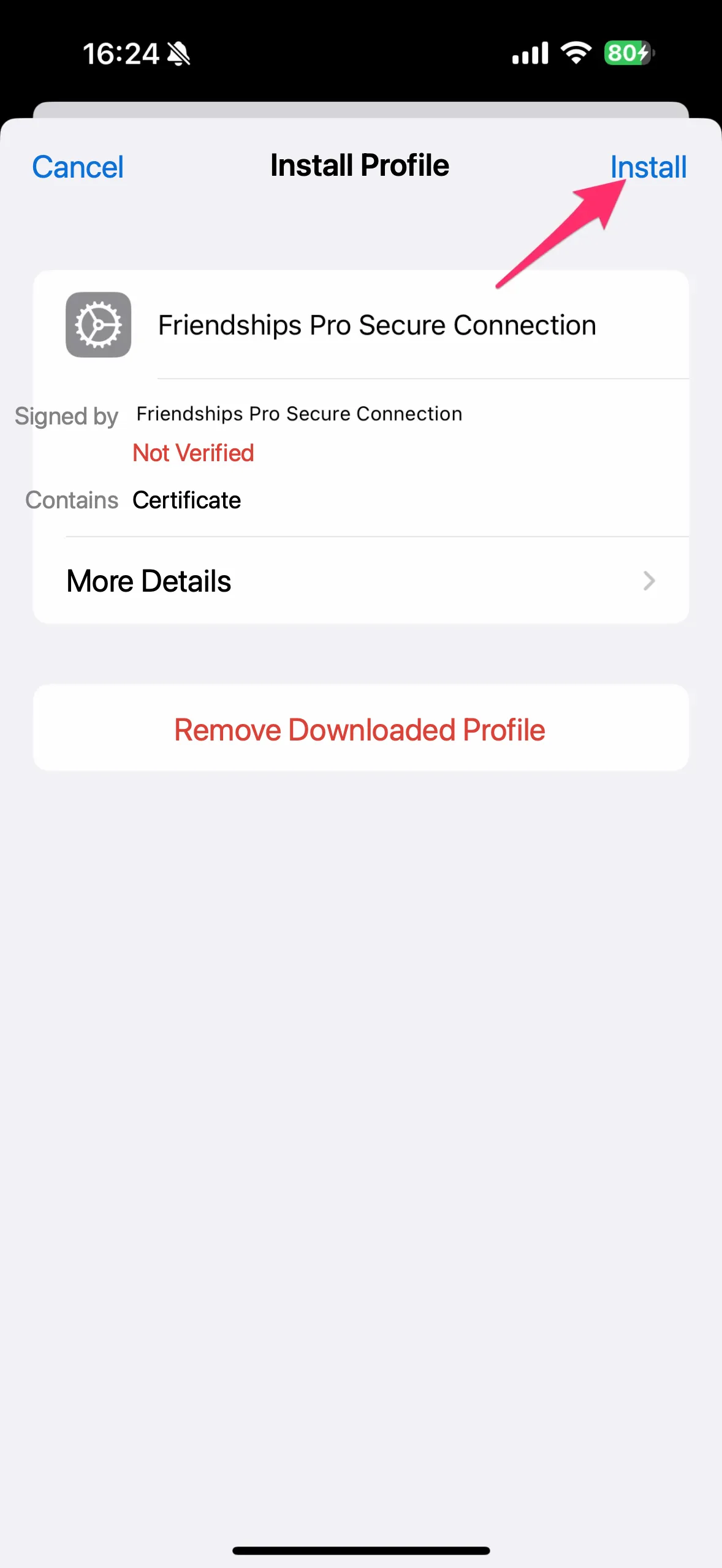
Step 3: Enable Certificate Trust Settings
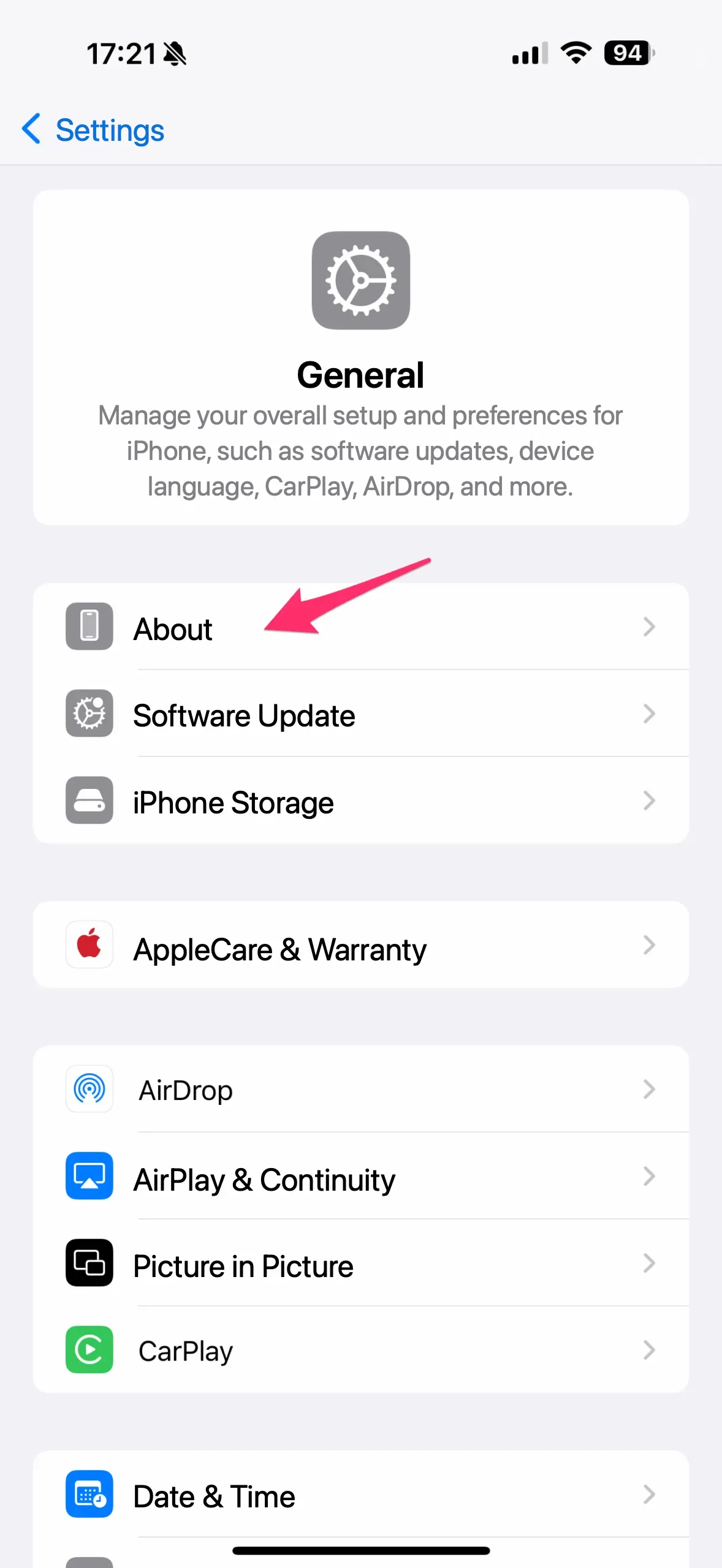
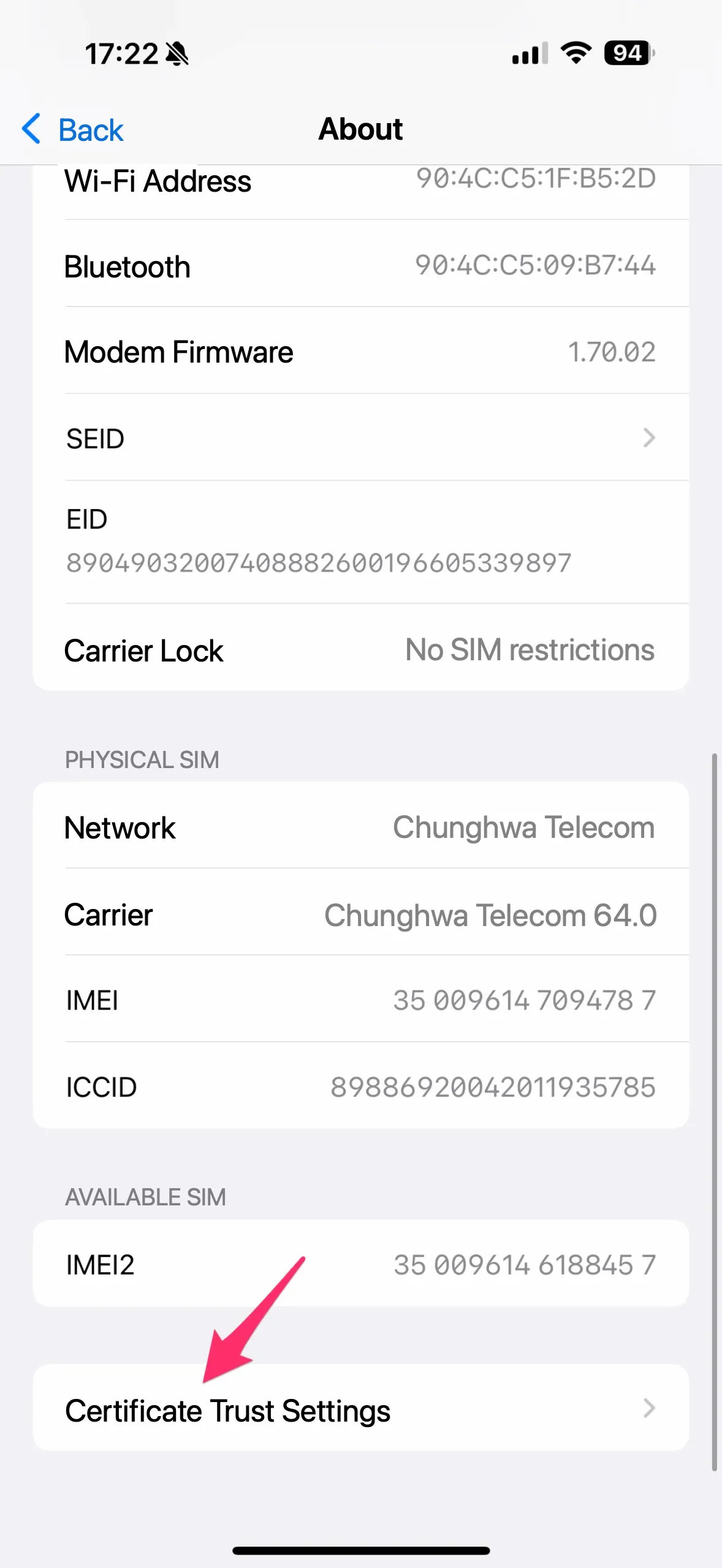
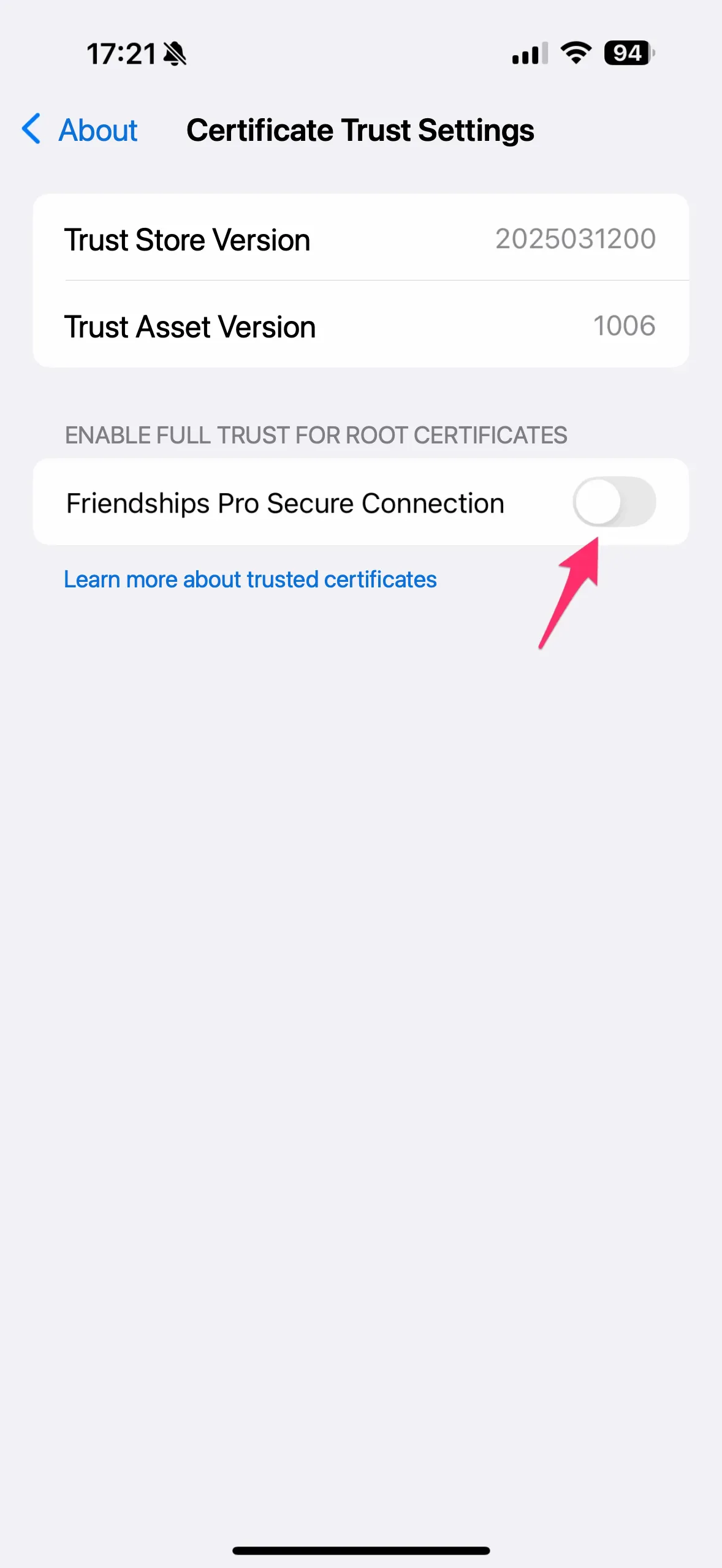
Step 4: Return to the App and Sign In Again
Once the installation is complete, open the app, go back to the previous page, and tap Sign In — the one-tap LINE sign-in feature is now ready to use!
Frequently Asked Questions (FAQ)
Why do I need to install a login certificate? Is it really safe?
The login certificate works like a passkey that confirms "this is your phone" — it verifies your device and keeps the connection secure. It is only used for checking your LINE blocked-friends list. Nothing is uploaded or stored in the cloud, and it has no effect on any of your other data, so you can install it with confidence.
After installing the certificate, can you see my LINE messages?
Absolutely not. The login certificate cannot read, store, or transmit any of your chat content. It is used solely for checking your LINE blocked-friends list, so you can use it with peace of mind.
Related Guides
- LINE Block Checker — app overview and download
- How to Tell If Someone Blocked You on LINE? Step-by-Step with LINE Block Checker
- How to Know If Someone Blocked You on LINE: 6 Clear Signs (2026 Guide)
About the App Developer
The LINE Block Checker app is developed and operated by Total Management Services America Inc. ("TMSA"), a company registered in California. TMSA is the data controller and service provider of this app. Articles are written by named authors, and TMSA takes publishing responsibility for content covering LINE Block Checker. For legal, privacy, or support inquiries, contact info@tmsjob.com.
Legal documents: Privacy Policy · Terms of Use
Company info: LinkedIn · App Store developer page · Crunchbase