Someone reposted your post or Reel and you want to know who. Or you want to know whether one particular person did. Instagram handles those two questions very differently, and most of the confusion around reposts comes from expecting a "reposted by" list that doesn't exist.
Here's what Instagram actually shows you, what it keeps to itself, and the one reliable way to check a specific account.
Quick answer
- There is no complete list. Instagram doesn't have a screen that shows every account that reposted your post.
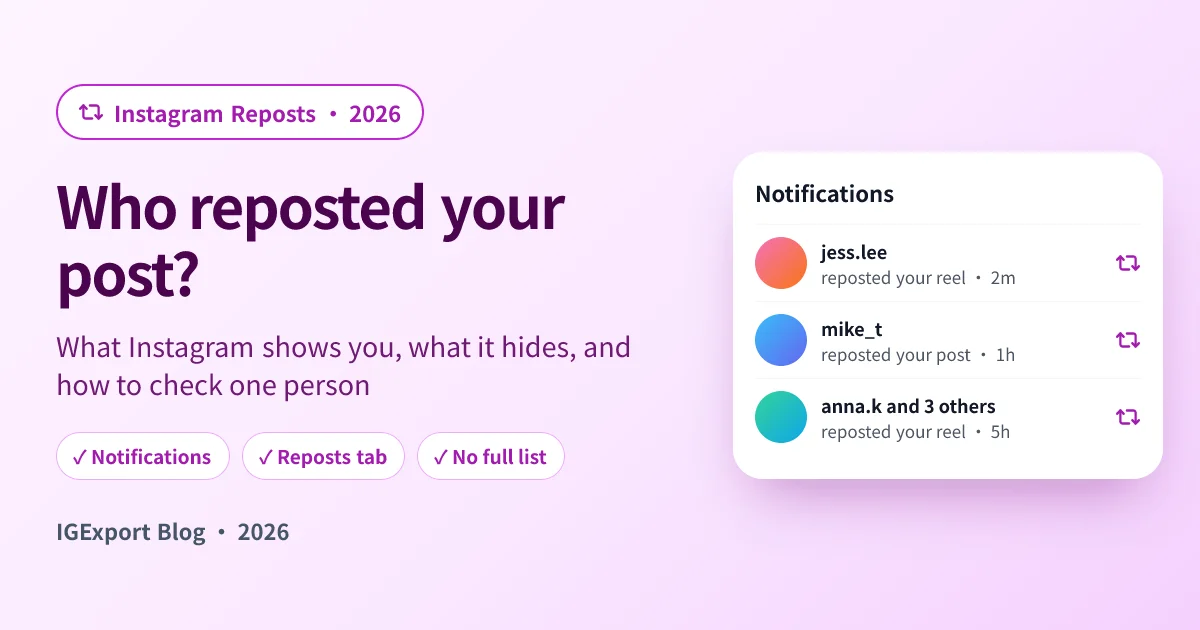
- Notifications are your record. When someone reposts your post or Reel, you get an activity notification with their username, the same way you'd see a like or a comment. Scroll back through your notifications to find them.
- To check one specific person, open their profile and look in their Reposts tab. If you don't want to do that from your own account, the Instagram Repost Viewer shows any public account's reposts without logging in.
- Shares to Stories, DMs, screenshots and re-uploads don't show up as reposts at all.
1. Check your notifications
This is the only place Instagram tells you, by name, who reposted you.
Step 1: Open your activity
Tap the heart icon at the top of your Instagram feed to open notifications.
Step 2: Look for "reposted your post" or "reposted your reel"
Each repost shows up as its own notification with the account's name. If several people reposted the same post, Instagram may group them into one line ("name and others reposted your reel"); tap it to expand.
Step 3: Tap through to their profile
Tapping the notification takes you to the repost or the person's profile. Their Reposts tab is where your post now sits.
Two limits to keep in mind:
- Notifications don't last forever. Instagram trims older activity, so for a post from months ago this list will be incomplete.
- Accounts can mute or limit what reaches you. If you've restricted someone, or turned down notifications, you may not see every repost as it happens.
2. Check a specific person's Reposts tab
If the real question is "did this person repost my post?", skip the notifications and go to the source.
In the app: open their profile and tap the Reposts tab (two curved arrows, next to Posts and Reels). If your post is there, they reposted it and haven't removed it. This works for public accounts and for private accounts you follow.
Without opening their profile from your account: type their username into the IGExport Instagram Repost Viewer. It lists everything a public account has reposted, newest first, labelled with the original creator, so you can scan for your own username. No login, and nothing tells them you checked.
This is also the only way to see a repost that happened before you noticed the notification, or one whose notification you never got.
3. Professional accounts: look at the numbers
If you use a creator or business account, open the post and tap View insights. Instagram has been folding reposts into the interaction numbers for posts and Reels, so you may see how many times something was reposted. You won't see who: insights are counts, never names.
What you can't see
Some ways your post travels never show up as a repost:
| What they did | Do you see it? |
|---|---|
| Reposted it (two-arrow icon) | Yes, in notifications, and it sits in their Reposts tab |
| Shared it to their Story | Only if they tagged or mentioned you; otherwise it may only appear as a share count in insights |
| Sent it to someone in a DM | No names, only a share count in insights for professional accounts |
| Screenshot or screen recording | No |
| Downloaded it and re-uploaded it as their own | No, unless you come across it |
So if a friend says "I reposted your Reel" and it's nowhere in your notifications or their Reposts tab, they most likely shared it to their Story. Stories from public accounts can still be checked with our anonymous Story viewer while they're up.
Who can repost your posts in the first place
- Only public content can be reposted. If your account is private, the repost button doesn't appear on your posts for other people.
- You can switch reposts off. Go to Profile → Menu → Sharing and reuse, and turn off reposts for your posts and Reels. New reposts stop from then on.
- There's no button to remove someone else's repost. If one specific repost bothers you, the dependable way to take it out of circulation is to archive or delete your original post; a repost has nothing to show once the original is gone.
Can people see who reposted someone else's post?
No. Instagram shows you reposts on your content through notifications, and on anyone's profile through their Reposts tab. It doesn't publish a list of everyone who reposted somebody else's post. Some reposts from people you follow do surface in your Feed or the Reels Friends tab, but that's a sample, not a list.
When it's one person you're watching
If the question behind the search is less "who reposted me" and more "what is this person reposting lately", a one-time look only answers it for today. Recent Follow by IGExport keeps that person a tap away: their Reposts tab in the app for any public account, the accounts they followed most recently, and a notification when they follow someone new.

Frequently asked questions
Can you see who reposted your post on Instagram?
Partly. You get a notification with the username each time someone reposts your post or Reel, but there is no single list of everyone who did. To check one person, look at their Reposts tab, or use the Instagram Repost Viewer for public accounts.
Does Instagram tell you when someone reposts your post?
Yes. A repost of your post or Reel generates an activity notification with the reposter's name, like a like or a comment does.
Does someone know if I repost their post?
Yes. The original creator is credited on the repost and normally gets a notification that you reposted it.
How do I know if someone shared my post to their Story?
Only if they tagged or mentioned you, in which case you get a mention notification. Otherwise a Story share is anonymous; professional accounts see it only as part of a share count in insights.
Why can't I see who reposted my Reel?
Either the notification has already aged out of your activity, the person removed the repost, or they shared it to their Story rather than reposting it. Checking their Reposts tab directly settles the first two.
Can I remove someone else's repost of my post?
Not directly. You can turn off reposts under Sharing and reuse so nobody new can repost, and you can archive or delete the original post, which takes existing reposts down with it.
Can I see who viewed a repost of my post?
No. Instagram has no viewer list for reposts. Any app or site that promises one is a scam.
Related reading
- Instagram Repost Viewer: check whether a specific public account reposted you, without logging in
- How to See Reposts on Instagram: where reposts go, who can see them, and why a Reposts tab can be empty
- Anonymous Instagram Story Viewer: for posts that were shared to a Story instead
- Instagram Profile Viewer: their posts, Reels and profile details without logging in