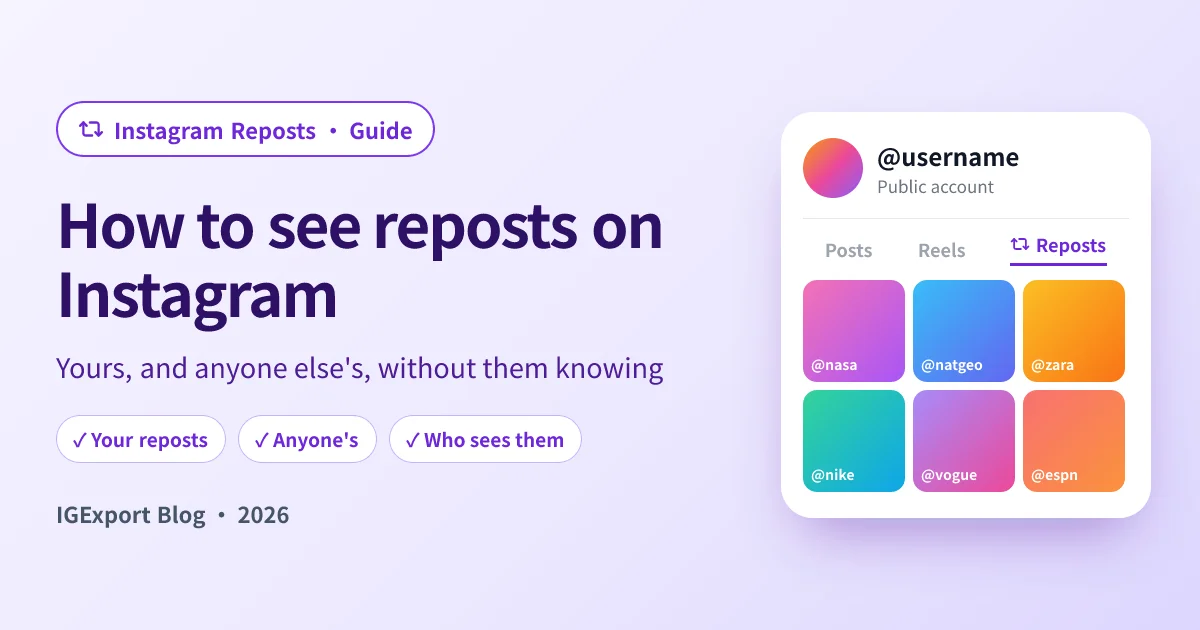
Instagram added reposts in August 2025: tap the two-arrow icon under a public post or Reel and it lands on your profile, credited to the person who made it. A year later the most common question about the feature is a simple one: where do those reposts actually go, and how do you see them?
There are two different questions hiding in that search, and they have different answers:
- Your own reposts live in a tab on your profile and in Your activity. Two taps.
- Someone else's reposts live in the same tab on their profile. You can open it in the app, or, if you'd rather not be logged in while you look, with our free Instagram Repost Viewer.
This guide covers both, plus the parts people get wrong: who can see your reposts, how a repost differs from sharing to your Story, and why a Reposts tab sometimes shows nothing.
Quick answer
- Your reposts: open your profile and tap the Reposts tab (the two curved arrows, next to Posts, Reels and Tagged). To manage them in bulk, go to Menu → Your activity → Reposts.
- Someone else's reposts: open their profile and tap the same Reposts tab. If the account is private, you only see it if you follow them.
- Without logging in: type their username into the Instagram Repost Viewer. It lists the posts and Reels a public account has reposted, newest first, and nothing tells them you looked.
How to see your own reposts on Instagram
Step 1: Open your profile
Tap your profile picture in the bottom-right corner of the Instagram app.
Step 2: Tap the Reposts tab
Under your bio there is a row of tabs: Posts, Reels, Reposts and Tagged. The Reposts tab is the icon with two curved arrows. Everything you have reposted is there, newest first, each one labelled with the account that originally posted it.
Step 3: Use Your activity to manage them
If you want a list you can clean up, tap the Menu (three lines) in the top-right of your profile, then Your activity → Reposts. This is the same list, but with a Select button, so you can remove several reposts at once instead of opening them one by one.
If you can't find the tab at all, update the app first. Reposts rolled out gradually, and an older version of Instagram simply doesn't have it.
How to see someone else's reposts
In the Instagram app
Go to their profile and tap the Reposts tab, the same two-arrow icon. It works for any public account, and for private accounts you already follow.
Two things are worth knowing before you do it:
- They are not notified. Reposts have no viewer list. Opening someone's Reposts tab leaves nothing in their notifications or their activity.
- You have to be logged in. Instagram doesn't show the Reposts tab to logged-out visitors on instagram.com, so in the app you're always looking as you.
Without an Instagram account (and without them knowing)
If you'd rather not look from your own account, at all, use the IGExport Instagram Repost Viewer:
- Type the username (with or without the @), or paste a link to their profile.
- Press View Reposts.
- You get the posts and Reels they reposted, in the order of their Reposts tab, each labelled with the original creator. Tap any of them to open it full screen; load more to go further back.
It works for public accounts only, because a private account's reposts are only served to its followers. Any site that claims to show a private account's reposts is not telling you the truth.
Where do Instagram reposts go?
A repost shows up in three places:
- Your followers' Feed. When you repost something, Instagram can show it to the people who follow you, with your name on top and the original creator credited.
- Your Reposts tab. It stays there until you remove it. Unlike a Story, it does not expire.
- The Friends tab in Reels. Instagram's Friends feed surfaces public content your friends have interacted with, and reposts are part of that. Instagram has a privacy setting for whether your activity shows up there.
What a repost does not do: it doesn't copy the post into your grid of Posts, and it doesn't create a new post with its own likes and comments. Likes and comments on a repost go to the original.
Who can see your reposts?
Your Reposts tab follows the same rule as the rest of your profile:
- Public account: anyone who can open your profile can see your Reposts tab, including people you don't know and anyone using a viewer like ours.
- Private account: only your approved followers can see it.
There is no separate privacy setting that hides the Reposts tab on a public profile. If there's a repost you don't want people to see, the way to deal with it is to remove it (open it from your Reposts tab and tap the repost icon again, or delete it from Your activity → Reposts).
If you want to check what a stranger sees on your Reposts tab right now, run your own username through the Repost Viewer. It sees your profile the way a logged-out visitor would.
Reposts vs. sharing a post to your Story
People mix these up constantly, and they behave differently:
| Repost | Share to Story | |
|---|---|---|
| Where it appears | Followers' Feed and your Reposts tab | Your Story |
| How long it lasts | Until you remove it | 24 hours (unless you add it to a Highlight) |
| Shows on your profile | Yes, in the Reposts tab | Only if you save it as a Highlight |
| Can add your own comment | A short note | Text, stickers, music |
So if you're looking for something someone "reposted" yesterday and it isn't in their Reposts tab, there's a good chance they shared it to their Story instead. Stories from public accounts can be watched with our anonymous Story viewer while they're still up.
Why you can't see someone's reposts
An empty or missing Reposts tab usually comes down to one of these:
- They have never reposted anything. Most accounts haven't. An empty list is the normal case, not an error.
- They removed their reposts. Reposts can be deleted one at a time or in bulk, and nothing is left behind.
- The account is private and you don't follow it. You won't see their reposts in the app, and no website can show them either.
- The original post is gone. If the creator deletes the post, archives it, or makes their account private, the repost has nothing left to point to and usually disappears with it.
- Your app is out of date. The tab only exists in versions of Instagram that have the feature.
- A typo in the username. A missing dot or underscore lands on a different account, or none at all.
What someone's reposts can tell you
A repost is a small, deliberate act: someone chose to put another person's post on their own profile, with their name next to it. That's different from a like, which takes half a second and nobody sees in one place.
That's why people look. A partner's Reposts tab full of the same account, a friend who reposts everything one creator makes, an ex who started reposting relationship memes: none of it proves anything on its own, but it's a public signal they chose to send.
If one account matters to you in particular, a single look only shows you a moment. Recent Follow by IGExport shows the Reposts tab of any public account you look up right inside the app, next to the accounts they followed most recently, and can notify you when they follow someone new.

Frequently asked questions
How do I see someone's reposts on Instagram?
Open their profile in the Instagram app and tap the Reposts tab, the two curved arrows next to Posts and Reels. If you don't want to use your own account, type their username into the Instagram Repost Viewer, which works for any public account without logging in.
Can someone see that I looked at their reposts?
No. Instagram keeps no list of who opened a Reposts tab, and it sends no notification. That's true in the app and on any outside viewer.
Where are my reposts on Instagram?
On your profile, in the Reposts tab next to Posts, Reels and Tagged. You can also find them under Menu → Your activity → Reposts, which is the better place to delete several at once.
Can I see reposts on a private account?
Only if you follow that account. A private account's Reposts tab is visible to its approved followers and nobody else, and no website can get around that.
Why is the Reposts tab empty?
Usually because the person has never reposted anything, or removed what they reposted. It can also mean the account is private, the original posts were deleted, or your app needs an update.
Does Instagram notify someone when I repost their post?
Generally yes: the creator gets an activity notification that you reposted their post or Reel, the same way they'd see a like or a comment. For more on what creators can and can't see, read How to See Who Reposted Your Post on Instagram.
Can I see who viewed my reposts?
No. Instagram shows view and like counts on the original post, not a list of who saw your repost. Apps or sites that promise a "repost viewers" list are scams.
Is a repost the same as sharing to my Story?
No. A repost goes to your followers' Feed and stays in your Reposts tab until you remove it. A Story share disappears after 24 hours and never appears in the Reposts tab.
Related reading
- Instagram Repost Viewer: see the posts and Reels any public account reposted, without logging in
- How to See Who Reposted Your Post on Instagram: what Instagram tells you when someone reposts you, and what it leaves out
- Anonymous Instagram Story Viewer: for posts they shared to their Story instead
- Instagram Profile Viewer: their posts, Reels and profile details without logging in