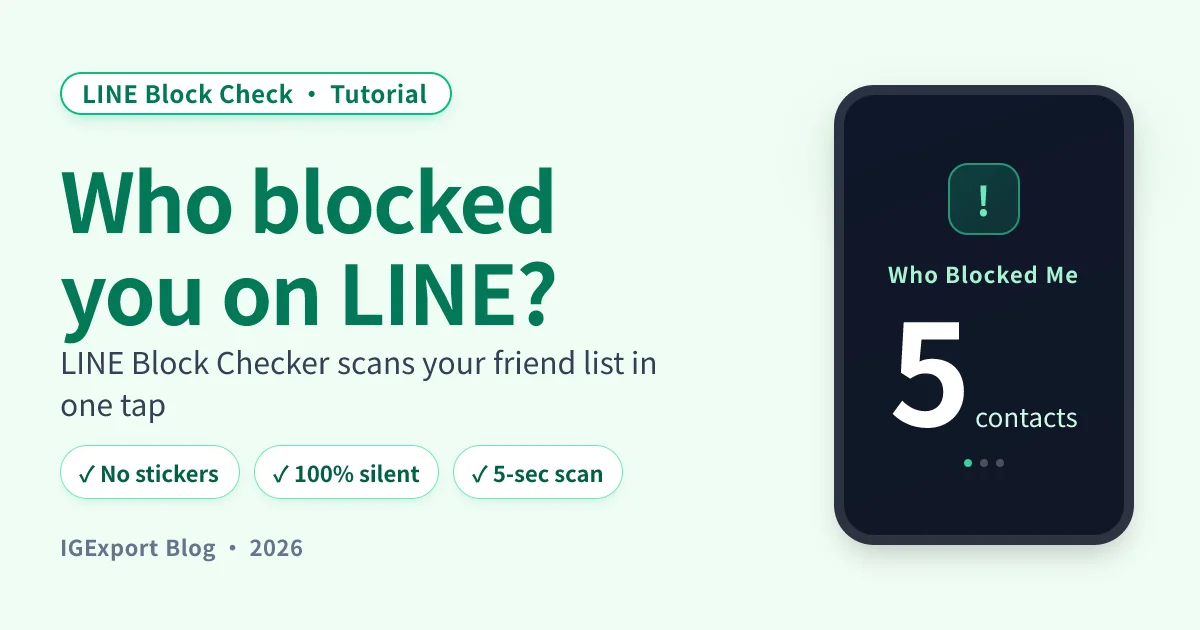
"I just want an app that one-taps the answer." A lot of people search for that and feel let down to realize the category is small. What's actually out there splits into two buckets: real apps and manual-method tutorials dressed up as apps. This post separates the two and evaluates everything by the same criteria — accuracy, speed, cost, and footprint.
Quick verdict: 3 use cases, 3 picks
- Want to scan your entire friend list at once → LINE Block Checker app (300 contacts in 5 seconds)
- Just have one or two specific contacts in mind, OK with paying a little → paid sticker gift test ($1–$3 per pack)
- Don't want to spend any money, willing to be patient → voice call + profile-photo check, cross-verified (free, but more false positives)
How we evaluated: 5 criteria
Each method gets scored on the same criteria:
- Accuracy: how often does it return false positives? (e.g. "their phone is on silent" misread as "blocked")
- Speed: how long does it take to scan the whole friend list?
- Cost: any money required?
- Footprint: do they get any notification or detectable trace?
- Platforms: iOS / Android both supported?
Side-by-side comparison
| Method | Accuracy | Speed | Cost | Will they notice? | Platforms |
|---|---|---|---|---|---|
| LINE Block Checker app | ⭐⭐⭐⭐⭐ | 5 seconds for the full list | Free (core features) | ❌ Not at all | iOS + Android |
| Paid sticker gift test | ⭐⭐⭐⭐ | One contact at a time (~30 sec each) | $1–$3 USD per pack | ❌ No | iOS + Android |
| Voice call signal | ⭐⭐ | ~30 sec per contact | Free | ⚠️ You leave a "called" record on your side | iOS + Android |
| Profile / VOOM freeze | ⭐⭐⭐ | 1–2 min observation per contact | Free | ❌ No | iOS + Android |
1. LINE Block Checker app (recommended)
LINE Block Checker is the only app on the market we know of that does batch LINE block detection. Sign in once, scan your full friend list in 5 seconds, get a direct list of every contact who has blocked you.
Key features
- Batch scan: 300 contacts checked in 5 seconds — no contact-by-contact testing
- Zero footprint: the scan sends no messages, no stickers, no calls, no group invites — nothing reaches the people being checked
- On-device analysis: the "Blocked By" list is computed and shown only on your phone — never uploaded to a cloud
- Doesn't store your password: after LINE verification, the password is cleared from memory immediately
Platforms: iOS + Android native apps Price: free download, core detection is free; premium features available via subscription Best for: people who want a clean answer, have more than one or two contacts to check, and don't want any trace left


Full step-by-step: LINE Block Checker tutorial
2. Paid sticker gift test
The oldest and most-shared manual method. The mechanism: LINE's "Send Sticker as Gift" flow checks whether the recipient already owns the pack — when blocked, the system silently rejects the gift with the message "this person already owns this sticker."
Pros
- High accuracy (when you pick obscure paid packs)
- Zero notification on the contact's end
Cons
- Costs money: $1–$3 USD per pack, double-confirm needs two
- One contact at a time: 50 friends = at least $50 + 50 manual tests
- False positives: contact actually owns that pack / contact has Stickers Premium / contact never added you as a friend — all three trigger "already owns"
Best for: 1–2 specific contacts, willing to spend a bit, patient enough to test one at a time.
Full mechanism + steps: LINE sticker test method
3. Voice call signal
Place a LINE voice call and watch your phone's top status bar for the green phone icon — present means the call connected (not blocked); absent likely means a block.
Pros
- Completely free
- Fast (~30 sec per contact)
Cons
- High false-positive rate: phone on silent / phone dead / never added as a friend / already on a call — four scenarios produce near-identical screens
- You leave a "called" record on your own phone
- Their end never rings, but occasionally a missed-call entry appears (especially in older LINE versions)
Best for: as a secondary verification — not a sole judgment call.
Full read-out: What it looks like when you call someone who blocked you on LINE
4. Profile photo / LINE VOOM freeze
Open the contact's profile and check whether their avatar / status / VOOM stories have updated — after a block, none of their updates can reach you.
Pros
- Completely free
- Completely silent (pure observation, no contact made)
Cons
- You have to remember their previous avatar to spot the freeze
- VOOM visibility is also affected by per-contact share settings — invisibility doesn't guarantee a block
- Slow: takes time to be sure
Best for: contacts you observe long-term; situations where leaving zero trace is the priority.
How to choose: 3 scenarios
Scenario A: "I want to know who in my whole friend list blocked me"
→ LINE Block Checker app. Manual methods can't do "everyone at once" — testing 50 friends one at a time is a nightmare.
Scenario B: "I only care about one specific contact"
→ Paid sticker test (most accurate) + call signal cross-check (free supporting signal). Buy two obscure packs, supplement with a call check and profile observation — triangulated.
Scenario C: "I don't want to spend a single dollar"
→ Profile / VOOM check + call signal cross-check. Won't give a 100% certain answer, but can build 70–80% confidence.
Why aren't sites like imyfone in this comparison?
If you Google "LINE block checker," you'll see imyfone, mrmad, and various tech blogs ranking — but none of those are apps:
- imyfone: an iOS utilities brand (mostly data recovery and system repair). Their "LINE block" content is manual-method tutorials, not an app.
- Mrmad / similar tech blogs: editorial content about manual methods.
- Various "LINE block crack" apps: all of them are scams or malware. Don't install. LINE blocks are designed at the account level so only the blocker can lift them — no app can "force-cancel" someone else's block.
Frequently Asked Questions
Which LINE block checker app should I pick?
LINE Block Checker — the only app on the market we know of that does batch LINE block detection, available on iOS + Android, free for core features, scans your full friend list in 5 seconds, and the contacts feel nothing. Other apps that claim to "crack LINE blocks" are scams — don't install them.
What's the fastest way to check LINE block status?
A one-tap app scan is fastest — 5 seconds for 300 contacts. Manual methods (stickers, calls) take 30+ seconds per contact and have to be done one at a time. For 1–2 contacts, manual is fine; above 5, an app is the obvious choice.
Is there a 100% free LINE block detection method?
Yes — call signal + profile/VOOM checks are completely free, but less accurate (more false positives). The LINE Block Checker app's core scan is also free and significantly more accurate than manual.
Why are there so few LINE block detection apps?
Block detection requires using your own LINE identity to query LINE's internal state — which means the developer has to deeply understand LINE's behavior, ship across iOS + Android, and handle privacy and security correctly (no password storage, no off-device data). The bar isn't trivial.
Is it safe to use a third-party LINE block detection app? Could my account get hacked?
Reputable apps are safe. What to look for: (1) doesn't store your password (cleared from memory after verification), (2) doesn't upload your friend list to a server, (3) sends no messages to anyone during detection. LINE Block Checker meets all three.
Can I use a web-based LINE block checker?
Almost certainly a scam. LINE block detection has to happen inside an app signed into LINE — there's no web equivalent (LINE's web client doesn't expose the necessary state). Any service that asks for your LINE credentials in a browser is phishing.
Will using a LINE block detection app get my account banned?
Reputable apps won't. What gets you banned: anything that sends messages, stickers, or calls automatically — LINE flags that as bot/abuse behavior. LINE Block Checker uses read-only queries with no automated outreach, so it doesn't trigger LINE's anti-abuse systems.
Complete guide
For the bigger picture — all detection methods, Q&A, every block scenario — start with the pillar:
Related reading
- Download LINE Block Checker — one-tap, anonymous detection of who blocked you
- LINE Block Checker step-by-step tutorial — every screen of the app explained
- Does the other person know when you block them on LINE?
- What it looks like when you call someone who blocked you on LINE
- How to unblock on LINE — complete tutorial
- LINE block vs delete friend: what's the difference
- LINE sticker test method explained
- Is there any recovery after being blocked on LINE?